Author: Peter Forsgard

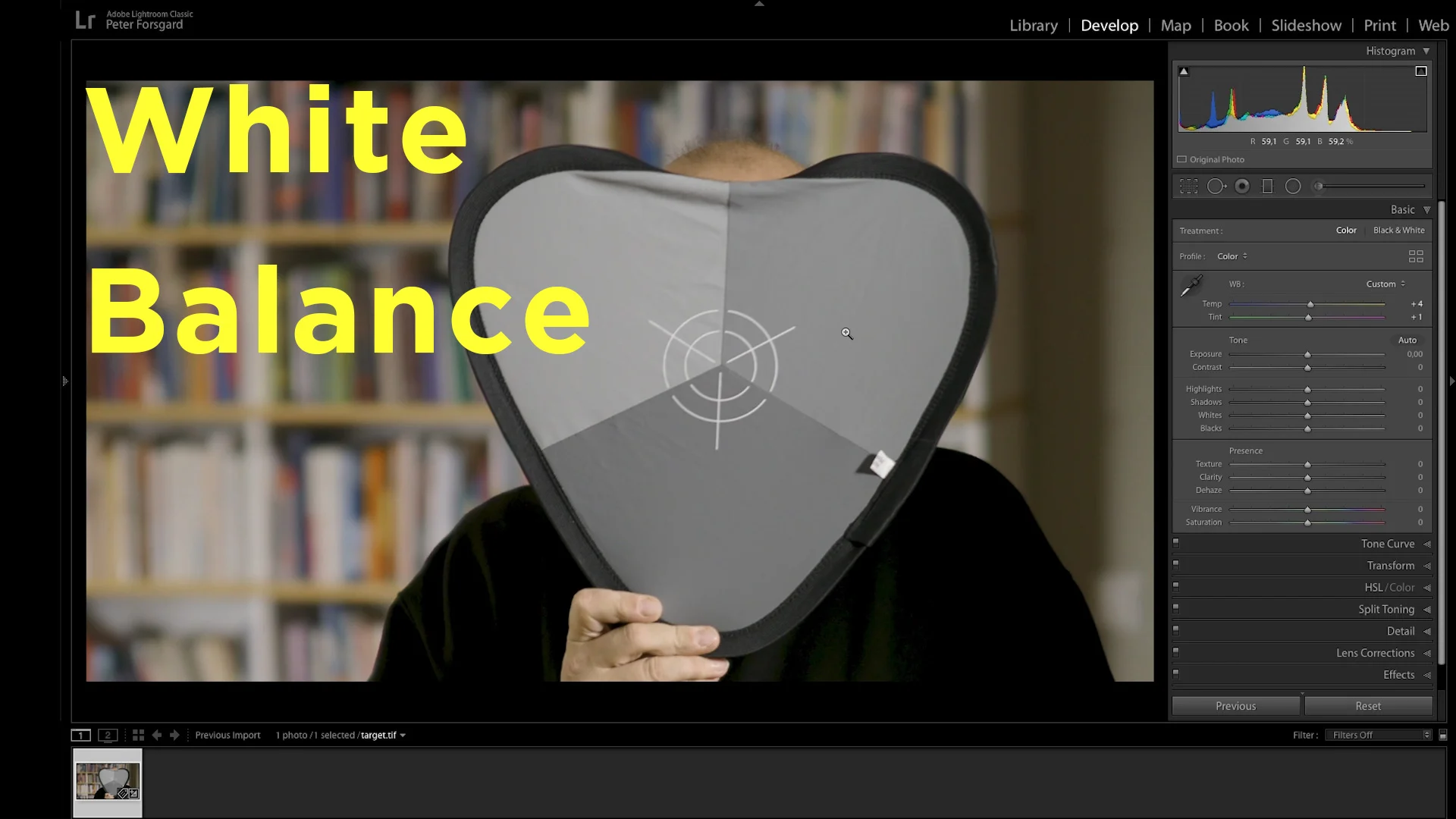
  • White Balance Explained – 5 Tips to get it RIGHT

    White Balance Explained – 5 Tips to get it RIGHT

    White balance is a very important thing to understand. With white balance you can control the colors in your image and video.

    In the video I give you five tips on how to get the white balance right.


    I have also made a video about white balance in January.

  • How To Take SHARPER photos 5 Tips For Instantly Sharper Photos

    How To Take SHARPER photos 5 Tips For Instantly Sharper Photos

    Sharper photos are usually something that you want. In this video, I will give you 5 tips for instantly sharper photos.

    It is also very important to hold your camera properly so it is as steady as possible. This way you will minimize the motion blur that is cased by the camera moving during exposure.
    Here is the link to the Lens Calibration target that I mentioned in the video:

    Here is the video about how to take sharper photos.

  • High ISO – 5 tips to REDUCE NOISE in camera.

    High ISO – 5 tips to REDUCE NOISE in camera.

    These are the instructions that I promised to tell in my video about How to reduce Noise in Camera. The video can be found at the end of this blog post.

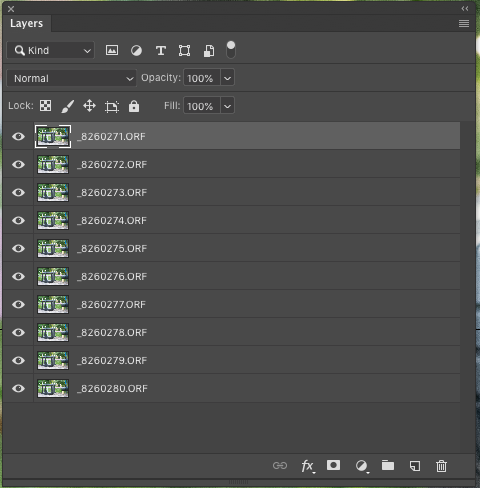
    1: Open the images as layers in Photoshop.

    Screenshot 2019-08-27 at 14.35.04.png

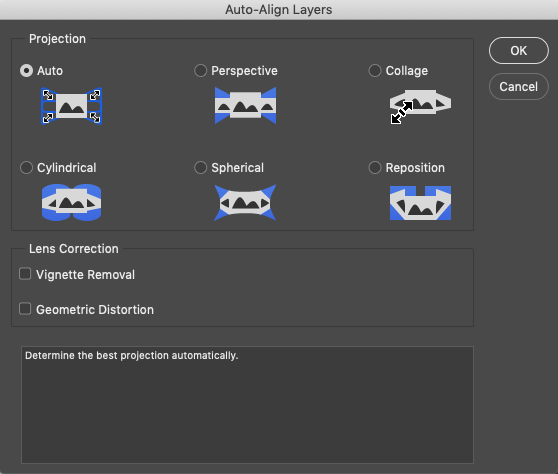
    2: Align the layers if needed: Edit > Auto-Align Layers

    Screenshot 2019-08-27 at 14.36.48.png

    3: Convert the layers to Smart Objects: Layers > Smart Objects > Convert to Smart Objects

    4: Blend the images: Layers > Smart Objects > Stack Mode > Mean.


    The result is a image with less noise that the original images. The more images you use the less noise there is.

    The After image, 10 images are stacked in Photoshop.
    The After image, 10 images are stacked in Photoshop.
    The before image.
    The before image.

    Here the video about Noise Reduction.