Category: Image Editing

  • Discover the Exciting New Features of DxO PureRAW 4

    In digital photography, pursuing crisp, clear images is a never-ending quest.

    DxO, a company known for its advanced photo editing software, has just released the latest version of its acclaimed program: DxO PureRAW 4. This new version, aimed at amateur and professional photographers, promises to take photo processing to the next level with its new features and improvements. In this blog post, we’ll dive into what makes DxO PureRAW 4 a worthy upgrade.

    1. Real-Time Preview: A Game-Changer

    One of the standout features of DxO PureRAW 4 is the real-time preview. What does this mean for you? Put, as you adjust various tool parameters to enhance your image, you can see the effects of these changes instantly. This immediate feedback is invaluable for fine-tuning your photos to perfection without the guesswork. It’s like watching your photo transform before your eyes, one adjustment at a time.

    2. Advanced Batch Renaming: Keeps you organized

    Handling numerous images can be overwhelming, but DxO PureRAW 4 makes it easier with its advanced batch renaming feature. This option allows you to organize and process multiple images simultaneously, saving you precious time and effort. Whether dealing with hundreds of photos from a wedding shoot or a vacation, this feature helps keep your files neatly organized and easily accessible.

    3. Enhanced Widget Workflow: Efficiency at Its Best

    The improved widget workflow in DxO PureRAW 4 is all about speed and convenience. The software automatically opens when you insert a memory card into your computer. This means you can start processing your photos right away without the extra steps of opening the program manually. It’s a small but significant improvement streamlining your workflow, especially when you’re eager to see and work on your freshly captured images.

    4. Next-Level Image Quality: Noise Reduction and Lens Softness

    DxO PureRAW 4 introduces a new noise reduction algorithm, DeepPrime XD2, and an improved lens softness tool. The DeepPrime XD2 algorithm is designed to tackle noise more effectively, ensuring your images are as clear and detailed as possible. Meanwhile, the enhanced lens softness tool addresses issues with lens imperfections, helping you achieve sharper and more accurate photos. These tools work together to enhance the overall quality of your images, making them look professional and polished.

    5. Upgrade Pricing: A Worthwhile Investment

    For existing PureRAW users, upgrading to the latest version costs 79€, while the regular price is 119€. This update enhances the software’s capabilities and ensures that it stays compatible with the latest camera and lens technology.

    Conclusion

    DxO PureRAW 4 offers a significant leap forward in photo processing software. With features like real-time preview, advanced batch renaming, an automated widget workflow, enhanced image quality tools, and continuous updates, it’s an essential tool for anyone serious about photography. Whether you’re a professional photographer or an enthusiastic amateur, DxO PureRAW 4 is designed to make your photo editing process more efficient and your results more stunning.

    Get yours

    Using this link, you can buy your copy! >>> DxO PureRAW 4
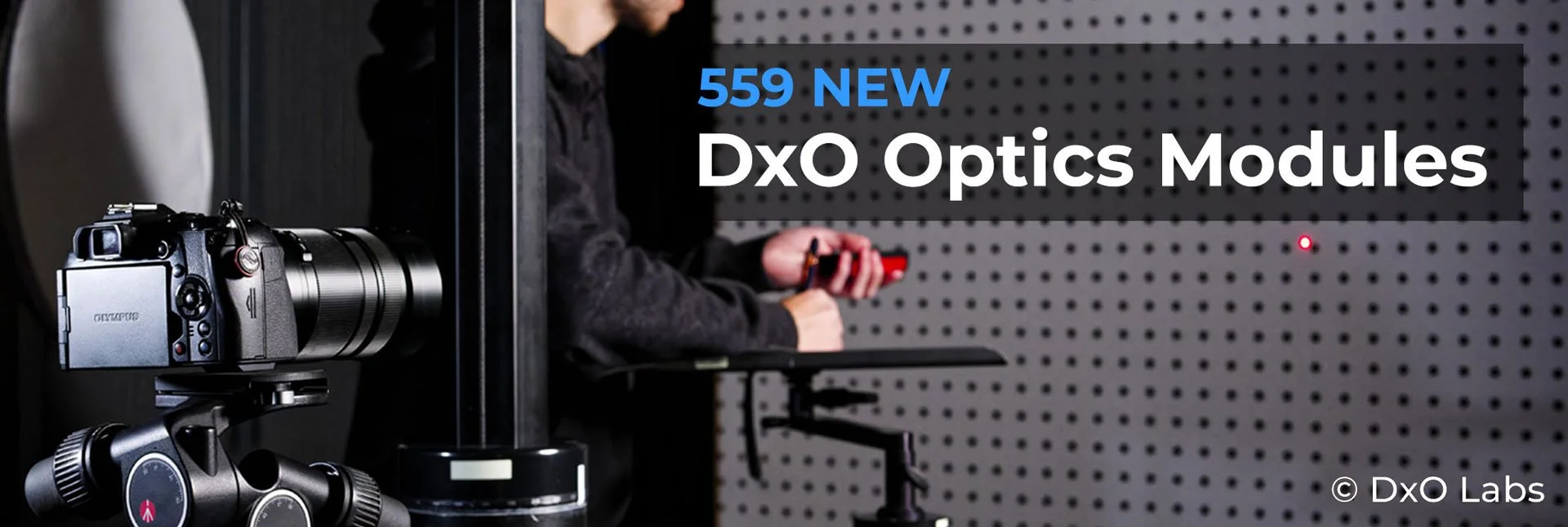
  • DxO Releases 599 new Optics Modules in December 2023

    DxO has excellent image editing software for various tasks in image editing. Their core thing are the Optics Modules. They release new Modules every month.

    image: DxO Labs

    December modules.

    DxO has added 599 new Optics Modules. The new modules are available today. DxO now has over 90.000 Optics Modules for 558 cameras and 1662 lenses.

    List of new modules


    Cameras

    • DJI Mini 4 Pro

    • Panasonic Lumix G9 II

    Lenses

    • Canon RF 10-20mm F4 L IS STM

    • DJI Mini 4 Pro Lens

    • Nikon Nikkor Z 180-600mm F5.6-6.3 V

    • Nikon Nikkor Z 400mm F2.8 TC VR S

    • Nikon Nikkor Z 400mm F2.8 TC VR S with Z TC 1.4x

    • Nikon Nikkor Z 400mm F2.8 TC VR S with Z TC 2x

    • Nikon Nikkor Z 600mm F4 TC VR S

    • Nikon Nikkor Z 600mm F4 TC VR S with Z TC 1.4x

    • Nikon Nikkor Z 600mm F4 TC VR S with Z TC 2x

    • Tokina ATX-M 23mm F1.4 X PLUS

    • Tokina ATX-M 33mm F1.4 X PLUS

    • Viltrox 85mm F1.8 Mark II Z

    • Viltrox AF 27mm F1.2 Pro XF

    (Info from DxO Press release)

    How does the Modules work?

    Optics Modules are custom-built to correct the image quality. The special thing is that all the modules are hand-made with every camera lens combination. These modules do not have average data.

    My experience with DxO software.

    I have made several videos about DxO Software. The newest was about their draw, where you can win camera gear. In that video, I also showed how their perspective correction tool, Viewpoint4, works. Other videos can be found in this playlist of DxO videos.

    Disclaimer: Some of the links might be Affiliate links. I will get a small commission if you click them and buy something.

  • Topaz Photo AI will speed up your workflow!

    Topaz Photo AI will speed up your workflow!

    Artificial Intelligence is affecting photography and especially image editing. Luminar AI was the first editing software that attempted to use AI to make our editing faster and smoother. It did succeed. Now there are a lot more options available. Luminar has a new product called Neo. Topaz has combined its AI-based software into one.

    Topaz Photo AI is a user interface!

    Topaz AI-based software has been the best in the market. The workflow has not been so good. Photo AI will change that. Photo AI is like a user interface for Gigapixel AI, Denoise AI, and Sharpen AI.

    Topaz Photo AI speeds up your workflow.

    When you open an image, Photo AI will automatically analyze the image. Topaz calls this Autopilot. Since it combines three software into one, your workflow will be a lot faster.

    Photo AI will make adjustments according to its analysis. Of course, everything is adjustable later, manually.

    AI does a better job!

    There are specific tasks in photo editing that AI can do better and faster.

    Denoising is one, and so is sharpening. It is impossible to do that manually. Other software has things like sky replacement and skin retouching made with AI. Same thing, faster and better.

    Is AI doing everything?

    Well, it can if you want. I like to set the mood, adjust the light, etc. myself.

    That is the artistic part that I want to be in control of. AI cannot know what I want. But the bulk stuff AI does a lot better and faster.

    Topaz Photo AI deal.

    There is a deal until the 7th of October, 2022. You will get $40 off if you buy Topaz Photo AI before the 7th of October.

    Before you rush and buy Photo AI check if you are entitled to get it free. If you already own Gigapixel AI, Denoise AI, and Sharpen AI, you might get Photo AI for free. Also, some special prices might be available if you already have some of the Topaz software. Sign in to your Topaz account and check what the price is for you.

    Buy Topaz Photo AI

    Using my affiliate links will support my blog and YouTube channel. If you click any of the links and buy something, I will get a small commission, but you won’t pay any extra.

    Watch my video about Topaz Photo AI 👇