Category: Vlog

  • Tutorial – Using Olympus Episode 5: Image Aspect Ratio

    Tutorial – Using Olympus Episode 5: Image Aspect Ratio

    In this video I go talk about the Image Aspekt Ratio and how to change it. Again my example was from OM-D E-M1 MkII, but in this blog post you can find how to change it in your Olympus.

    In the following Olympus cameras the Image Aspekt Ratio is changed in

    Shooting Menu 1:
    E-M1, E-M1 MkII, E-M5, E-M5 MkII, E-M10, E-M10 MkII, Pen-F and Pen E-PL8

    In E-M10 MkIII and Pen E-PL9 press the OK-button and then you can find the Image Aspekt on the side. (image: Pen E-PL9 manual, Olympus)
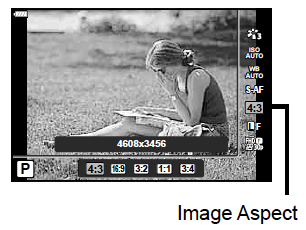
    Screen Shot 2018-06-05 at 17.50.38.png

    If you havent seen the previous episodes I recomend you to watch them. The whole Using Olympus playlist can be found here: https://goo.gl/9cPqo1

    If you have any questions please ask them in the comments!
  • Tutorial – Using Olympus Episode 4: High Res. Image.

    Tutorial – Using Olympus Episode 4: High Res. Image.

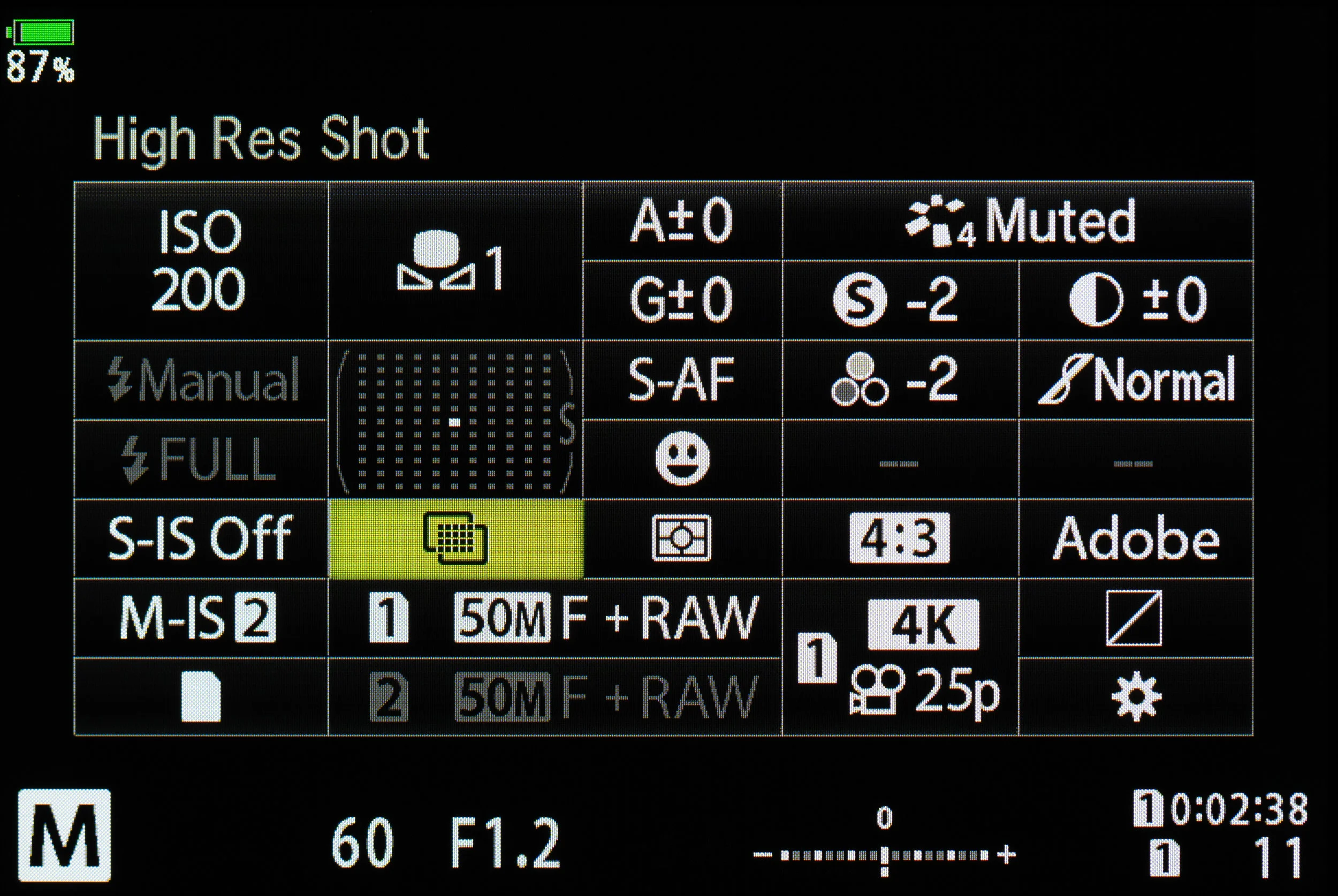
    High Res Image feature was introduced with OM-D EM-5 MkII in February 2015.

    The feature is only in three Olympus cameras, E-M1 MkII, E-M5 MkII and Pen-F. The only diffence is that in EM-5 MkII high res image has maximum of 54Mipx while the other two has maximum of 80Mpix. E-M1 MkII and Pen-F have 20Mpix sensor and the E-M5 MkII has 16Mpix sensor. That makes the difference.

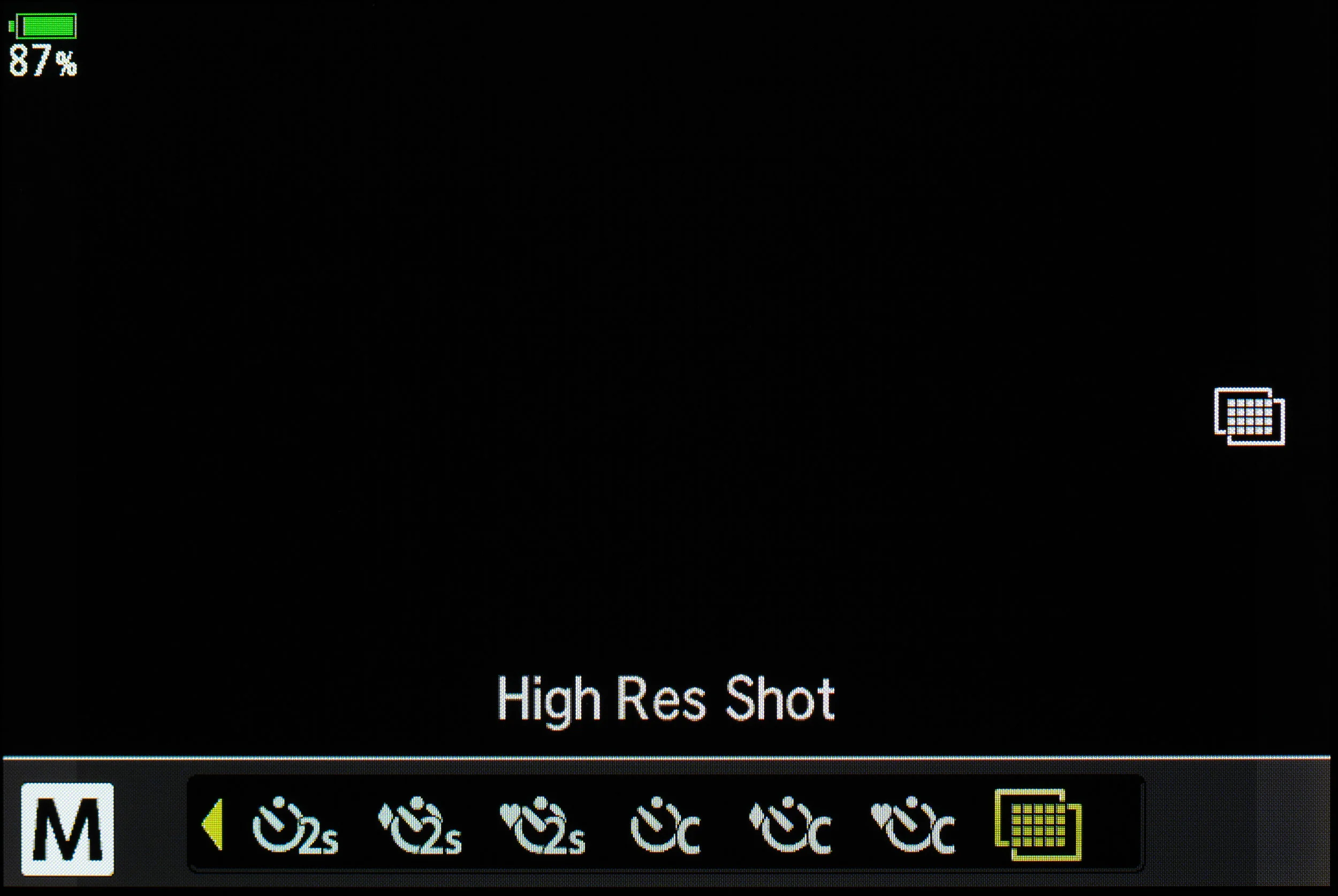
    In the video my example was from OM-D EM-1 MkII. The control settings for High Res. Image are can be found, as shown in the video, in the Shooting menu 2 in all three cameras.  

    In E-M1 MkII to turn the High res. feature option on, go to:

    blogaukseen_01.jpg

    after its on it can found in the Super Panel as an option:

    Highres_menu_002.jpg
    Highres_menu_003.jpg

    If you havent seen the previous episodes I recomend you to watch them. The whole Using Olympus playlist can be found here: https://goo.gl/9cPqo1

    If you have any questions please ask them in the comments!

  • Tutorial – Using Olympus episode 3: Personalise your Olympus!

    Tutorial – Using Olympus episode 3: Personalise your Olympus!

    Personalising your Olympus is easy. Just write your name to the metadata and customize your filenames. My example in the video was OM-D EM-1 MKII. In this blogpost you will find where to find the features in your Olympus. 

    In E-M5, E-M5 MKII, E-M10, E-M10 MKII, E-M1, Pen E-PL8 and Pen-F  the Copyright settings and the Edit Filename can be found in the Custom menu H (Record and Erase)

    Screen Shot 2018-06-03 at 23.10.31.png

    in E-M10 MKIII and Pen E-PL9 the Copyright settings and the Edit Filename can be found in the Custom menu G (Record) 

    Screen Shot 2018-06-03 at 23.14.45.png

    And as shown in the video in OM-D E-M1 MKII the Copyright settings and the Edit Filename can be found in the Custom menu H1 (Record/Erase)

    Screen Shot 2018-06-03 at 23.20.09.png

    If you havent seen the previous episodes I recomend you to watch them. The whole Using Olympus playlist can be found here: https://goo.gl/9cPqo1

    If you have any questions please ask them in the comments!