Tag: Image editing

  • Why Excire Search 2 is a Great tool for searching images in Lightroom Classic.

    Excire Search 2: KI-unterstützte Bildverwaltung für Lightroom

    AI based search

    Excire Search 2 is an AI-based plug-in for Lightroom Classic. Excire has also a stand-alone version. This blog post is about the Lightroom Classic plug-in. I will write a blog post about the stand-alone software Excire Photo once I have tested it properly.

    The number of images can be quite huge. At the moment my catalog has a little over 245.000 images. Then there are the additional images in DVDs that I have not imported into Lightroom Classic. Since I have added keywords only to some of the images there is a lot of images without any keywords. Finding them might be a bit hard. That’s where Excire Search 2 comes in handy as you will see.

    I usually tend to name the folder with the date the images were made and the subject matter, location, and so on. I can find my images quite well.

    Disclaimer: Excire contacted me and asked if I want to test it? Of course, I wanted. They provided me the license key for free. I promised in exchange to write a blog post about the plug-in and make a few videos about it. They did not tell me what to say about so all the opinions are mine. Some of the links in this post might be affiliate links.

    Initializing the Catalog

    Screenshot 2021-09-03 at 19.51.36.png

    Once you have installed the plug-in Excire Search 2 needs to initialize the Lightroom Catalog. That might take some time if you have a lot images. My catalog of over 254.000 images took several hours. Sorry that I cannot say how many because I let it do its thing during the night. I was asleep when it was finished. The Excire webpage says that it takes about an hour per 10.000 images. In my case, it was a lot faster. It was probably because I have Smart Previews and it used those. Smart Previews is handy in many ways.

    After everything is initialized the plug-in is ready for use. It can be found from Library > Plug-In extras.

    Search Options

    Excire Search 2 can find your image in many different ways. The great thing about it is that its AI can find images without keywords. You can use the keyword option and it is not what you think. Choosing Abandoned Place for example it can find all the images that have an abandoned place in the photograph. You do not need to have any keywords. The AI can recognize the subject in the photo. In my case, it found 777 images that are taken in an abandoned place.
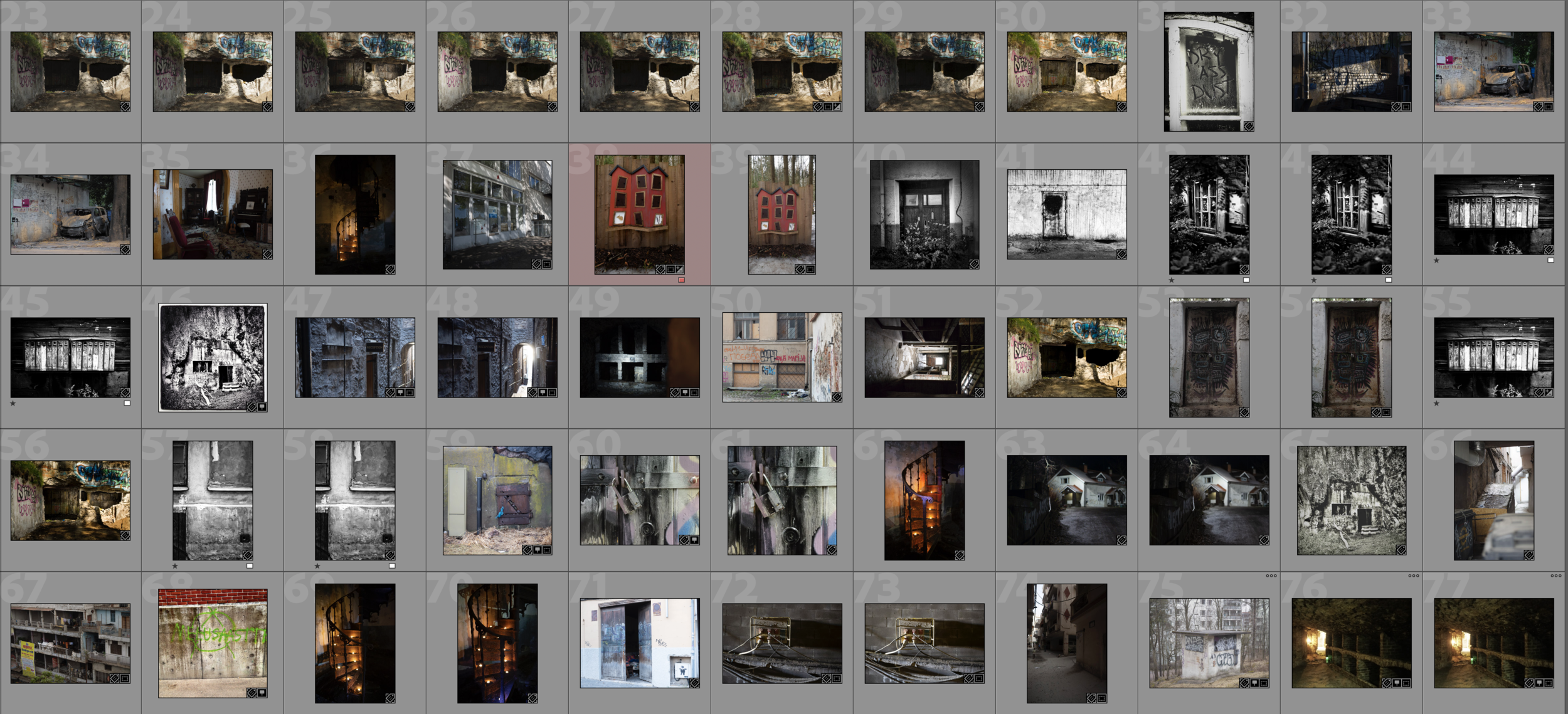
    A portion of the results.
    A portion of the results.

    Of course, the results are not perfect but as you see from this screenshot above the results are pretty amazing.

    There are some settings that you can tweak in search. The number of images it will show is one. I used the default 100. I have not tested it yet that much that I can say what is the optimal amount here. Most likely it depends on your needs.

    Search by an Example Photo

    One interesting way to find photos is to Search by Example Photo. You just select a photo and let the Excire Search 2 do its magic. There are two search criteria, Photo content, and color. Then you can also adjust the strength of the search. That most likely means that how close you want the search results to be the original photo. It will show the photos as a collection.

    In the example below I used the photo of a beat-up Chevy. The result shows me images of cars.
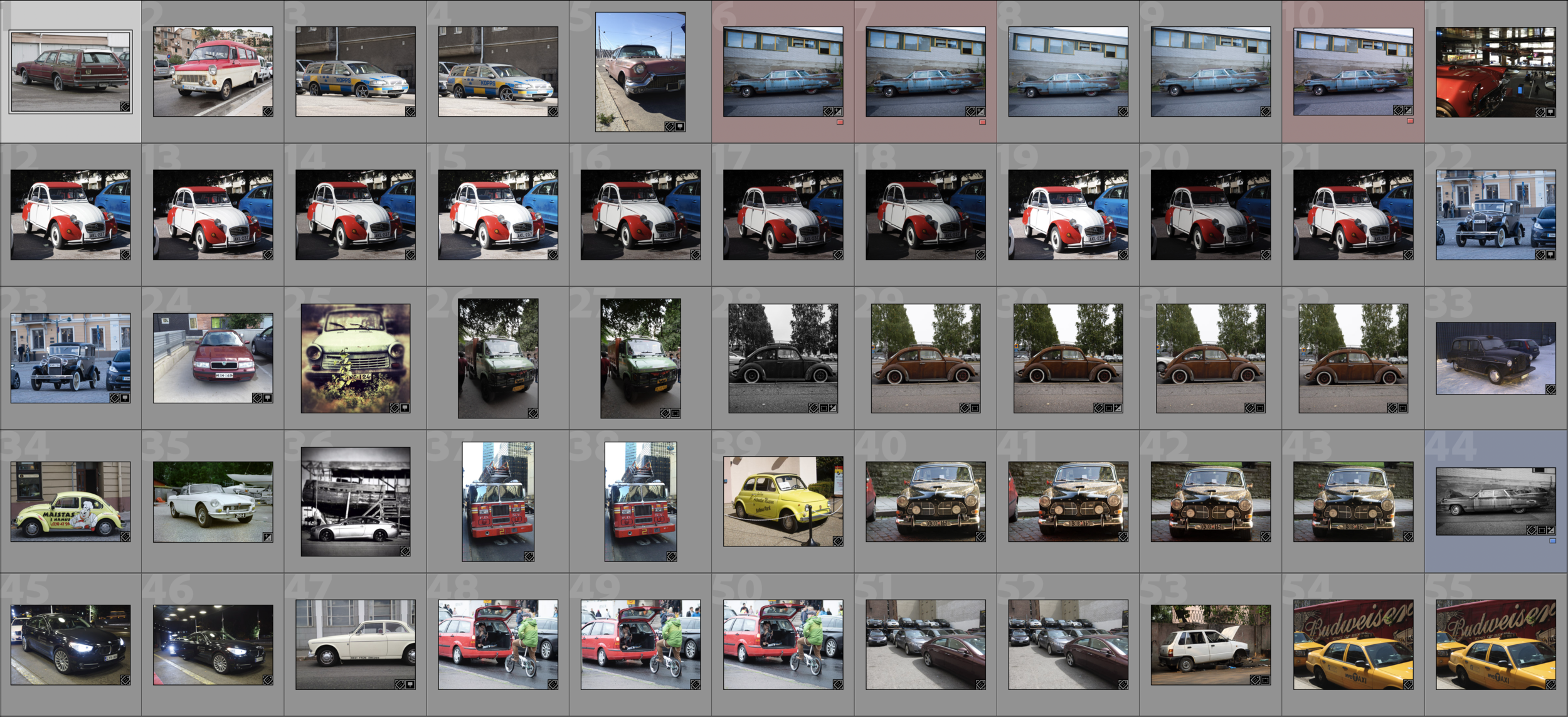
    A portion of the results.
    A portion of the results.

    Search by Faces

    Screenshot 2021-09-05 at 8.59.01.png

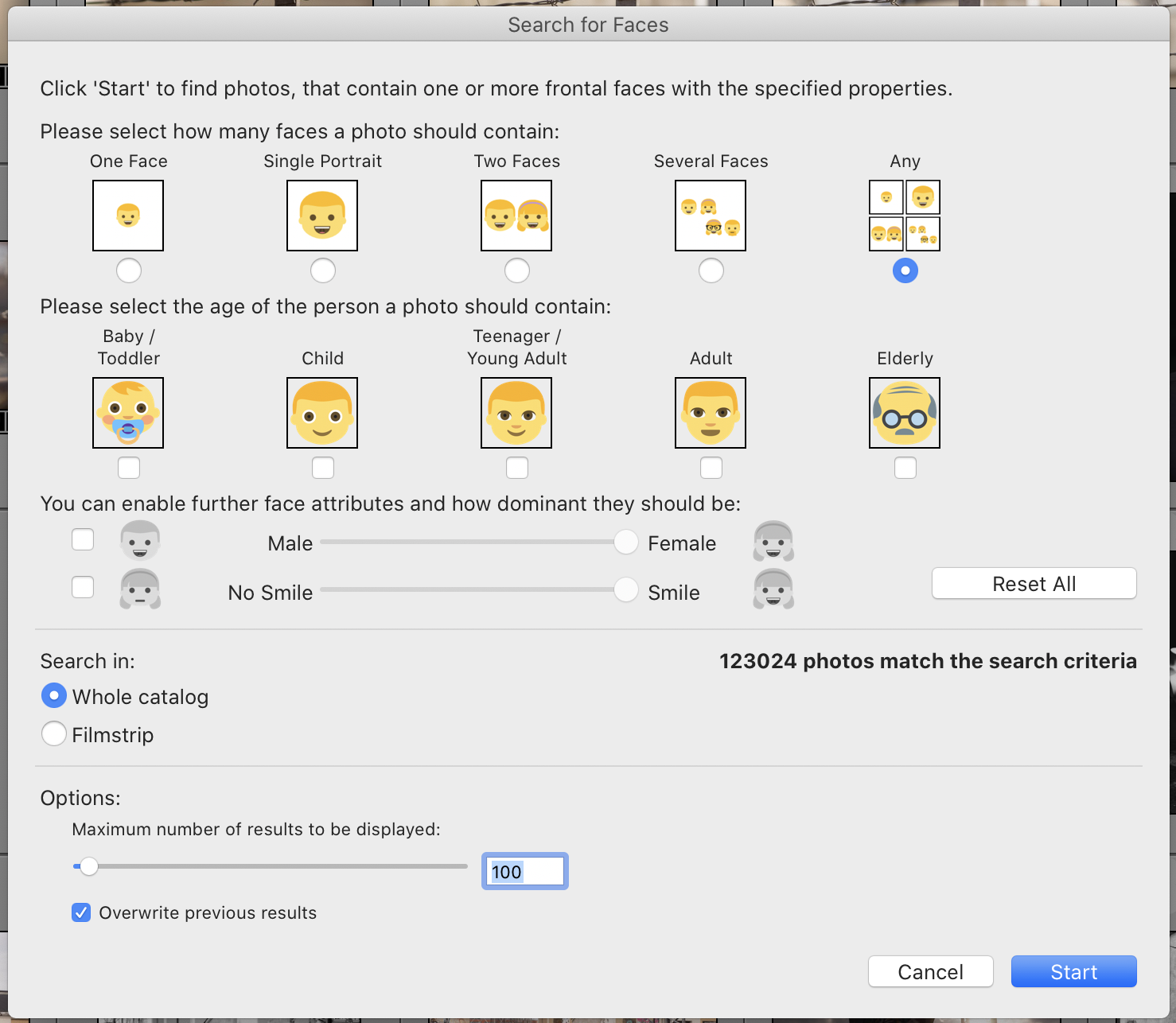
    One more example, search by faces. This is very interesting. 123.024 images out of that roughly 254.000 are images that have faces in them. After all, I have photographed a lot of people. There are a lot of options in this search: number of Faces, gender, age, and so on. It is remarkable how well this works.

    Fast Search!

    The initialization takes some time, but the search is really fast. It only takes a few seconds to find similar images. It is blazing fast!

    Try it yourself!

    If you want to try it yourself I do have an Affiliate link. Just click the banner below and you can buy Excire Search 2, download a trial version and read some more. I also encourage you to test it. I think this is the best thing that has happend in Image Search for a long time. Excire Search 2 is excellent.
    Excire Search 2: KI-unterstützte Bildverwaltung für Lightroom
  • Is AI the future of Image Editing?

    Artificial intelligence has been a big thing in image editing in recent years. Adobe has had its Sensei for a few years, Topaz Labs has a whole set of AI-driven software, Skylum Software is launching Luminar AI in the near future. DxO Labs upgraded the Photolab to version 4 and added an improved AI-driven noise reduction.

    AI is a good thing.

    In general, I think AI is a good thing what it comes to image editing. It will make it easier and faster. I will get back to this, but before that, I will say a few words about noise reduction which I think is the best part of AI in image editing.

    Noise is something most photographers do not like. It can be a thing that ruins an image. Using a high ISO will introduce some noise. Also if an image is a bit under-exposed for some reason there will be noise. Especially if the underexposed image is brightened by increasing the exposure.

    Noise Reduction with AI

    AI-driven noise reduction is definitely a good thing. The quality has gotten better and better. AI can remove noise very well. I have used Topaz Labs DeNoise AI. I have been very happy with the results. If you want to hear more about what I think about Topaz Labs DeNoise AI watch this video. Also Adobe has AI-driven noise reduction in the making. It is a part of their Neural Filters which I will address a bit later.

    Just a few days ago DxO Labs launched version 4 of its DxO PhotoLab. It has three different noise reduction methods, HQ, PRIME, and the newest DeepPRIME. DxO PhotoLab 4 Elite version works as a plug-in for Lightroom. I have used DxO Photolab in the past. Now that the DeepPRIME noise reduction has been improved I will use it a bit more.

    I have not tested DxO PhotoLab 4 against Topaz DeNoise AI what comes to noise reduction. Both seem to work great and I will make a video where I compare them after I have tested DxO PhotoLab 4 a bit more. The first results indicate that it is better than Topaz DeNoise AI.

    AI can be used for a lot more than just noise reduction. Richard Harrington from Skylum Software said that Luminar AI will address a common problem. Quite a few do not know where to start when editing images. Luminar AI can give a good starting point for that. The same thing is with DxO PhotoLab 4. You can choose which correction you want the AI to do as default. Of course, everything can be adjusted, but they give you a starting point.

    Meet-Luminar-AI-2_1920.jpg


    I can understand that problem. I have been lecturing and teaching photography and image editing for many years. It is for many a real challenge to know what should they do with their image. Where to start. The main thing is first of course to understand how we look at images. What is the thing we see first in an image? Understanding that is very important. That will help you to edit.

    The problem with this is that it will give a general starting point based on what the AI has learned to be a good image. AI has based its view on millions of images. Eventually, this will lead to images that look all alike. AI thinks that landscape photographs should look a certain way.

    Will this affect our thinking about what is a good image. maybe it will. That has happened with Instagram. Those who use it most likely know what kind of images gets likes. I am not referring to those that show what I have eaten. Those likes come from close friends. I am talking about those images that have some photographic value. Images that can be appealing to a wider audience. If this happens with AI-driven image editing I do not think it is a good thing. This is a common problem with any technology. If it is there to help you to achieve the goals you have and in this case the photograph you like, then it is a good thing. If you let the AI decide for you then it is not totally your image.

    What about Adobe and Sensei?

    What about Adobe’s AI, Sensei how they call it. It has been quite helpful in video editing. A few examples are content-aware cropping and content-aware fill. In the latest version of After Effects, the Rotobrush 2 makes the green screen almost obsolete. In the latest version of Photoshop that was launch in Adobe Max has Neural Filters.

    Neural Filter includes Face Cleanup, Sky Replacement, Super Zoom, etc. Some of the Neural Filters are really useful. The Super Zoom lets you crop an image without losing any pixels. I did a quick test and it seems to work really well. The cropped version has a very good image quality. That is something that needs to be looked into some more. Sky Replacement is a good tool if you do a lot of composite images. It will make it so much faster to replace the sky. But in general use for your images, I do not think it is a tool that should be used. It is more for advertisement and art.

    Is AI the future of Image Editing?

    What about the question I asked in the title of this blogpost. Is AI the future of Image Editing? Simple answer, yes it is.

    What is the direction I would like the AI to go? As I wrote, now the way it is that AI learns from a vast amount of images. In the future, I would love to have AI that learns from my images, from my way of editing. It should learn what I like. One example is contrast, color vibrance, etc. AI should learn from my preferences on those and some other things. Then it would give me a better starting point for my edits.

    What do you think about AI-driven image editing? Good or bad?

    Disclaimer: Some of the links are affiliate links. If you click those and buy something I do get a small commission. You do not pay any extra.

  • Luminar AI – a New Image Editing Software

    Luminar AI is a new image editing software from Skylum. You might be familiar with Luminar 4.3 and Aurora HDR 2020. Luminar AI is a brand new software and it is not an upgrade to Luminar 4.3. Luminar 4 will be supported until the end of 2021 and after that, it won’t get any updates, but of course, the software works after that if the computer supports it.

    Meet-Luminar-AI-2_1920.jpg


    Alternative to the traditional way of editing images.

    Richard Harrington from Skylum said in its webinar that Luminar Ai is an alternative to traditional editing. They said that they are focusing on the results and not the process. They have built the code from scratch and it is not based on the same 35-year approach that other image editing software is based on.

    Luminar AI uses AI to analyze your image and it will give you suggestions. Accent AI is the AI that analyzes the image. The material that they showed on the webinar said that many controls like shadow/highlight, contrast, curves, etc. are reduced to one slider. AI is the key here. This will make it easier to start editing. Richard Harrington from Skylum said that for many the problem is where to start. With Luminar AI it will be easier.

    I think this is an interesting new approach. to image editing. Skylum is very ambitious about this they said that they want to be a global leader in computational photography. I like that kind of attitude. They call the suggestion that AI has made a template. Of course, that template can be adjusted and saved.


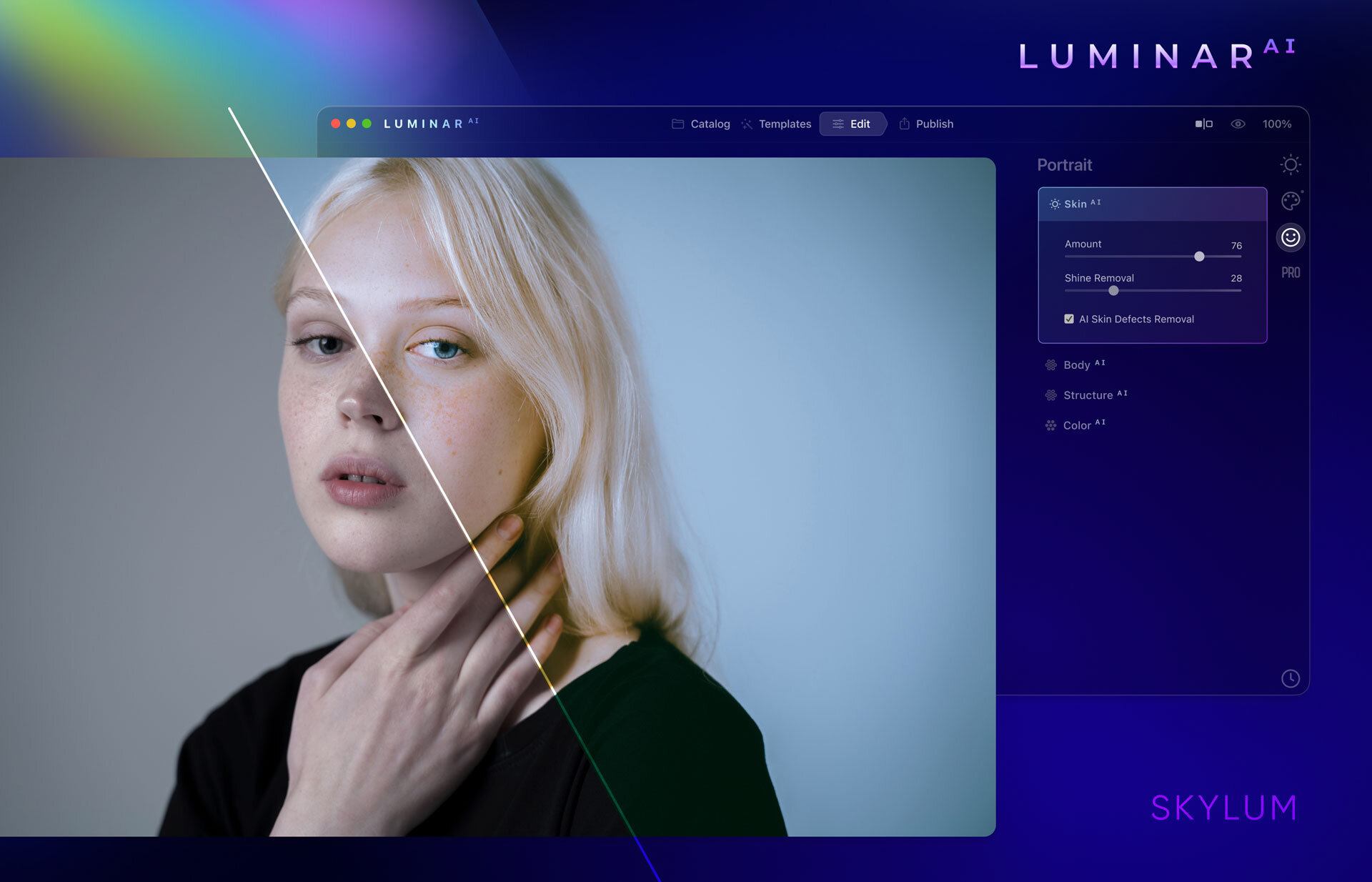
    Skin AI helps with portraits.

    Screenshot from Luminar AI and its Skin AI. Image: Skylum
    Screenshot from Luminar AI and its Skin AI. Image: Skylum

    The feature to help to retouch portraits is called Skin AI. It will totally replace frequency separation. That is a time saver. Saving time is one key thing that Skylum is aiming for with it is Luminar AI.


    Works as standalone software and as a plug-in.

    Good thing is that Luminar AI will work as a plug-in for Lightroom. A t least for me that is very important. The Library in Lightroom is the database of my images. Luminar AI does not have some kind of database functionalities as Lightroom has. If you want to use Luminar AI as standalone software, it will work fine. It works from Lightroom 6 and up as a plug-in. The oldest Photoshop version it works with is CS5.

    Specifications for your computer

    For macOS, you need at least i5, 8GM RAM (16GB is recommended), macOS10.13.6 or higher. It will also support OS Big Sur when it is launched. In PC you need to have Windows 10. Win7 and 8.1 are not supported. The processor needs to be at least i5 or AMD Ryzen 5 or better. Also, you need Open GL3.3. or later compatible graphics cards. (disclaimer: This info is copied from the presentation material Skylum presented in their webinar on the 31.8.2020.)


    How does AI work?

    The success of Luminar AI will be based on its ability to give the right suggestion for the edit. We all tend to like a bit different thing and hopefully, Luminar AI is good enough to learn from the user. I think that would be great. Otherwise, it might be that we all are going in the same direction with the look of our images.

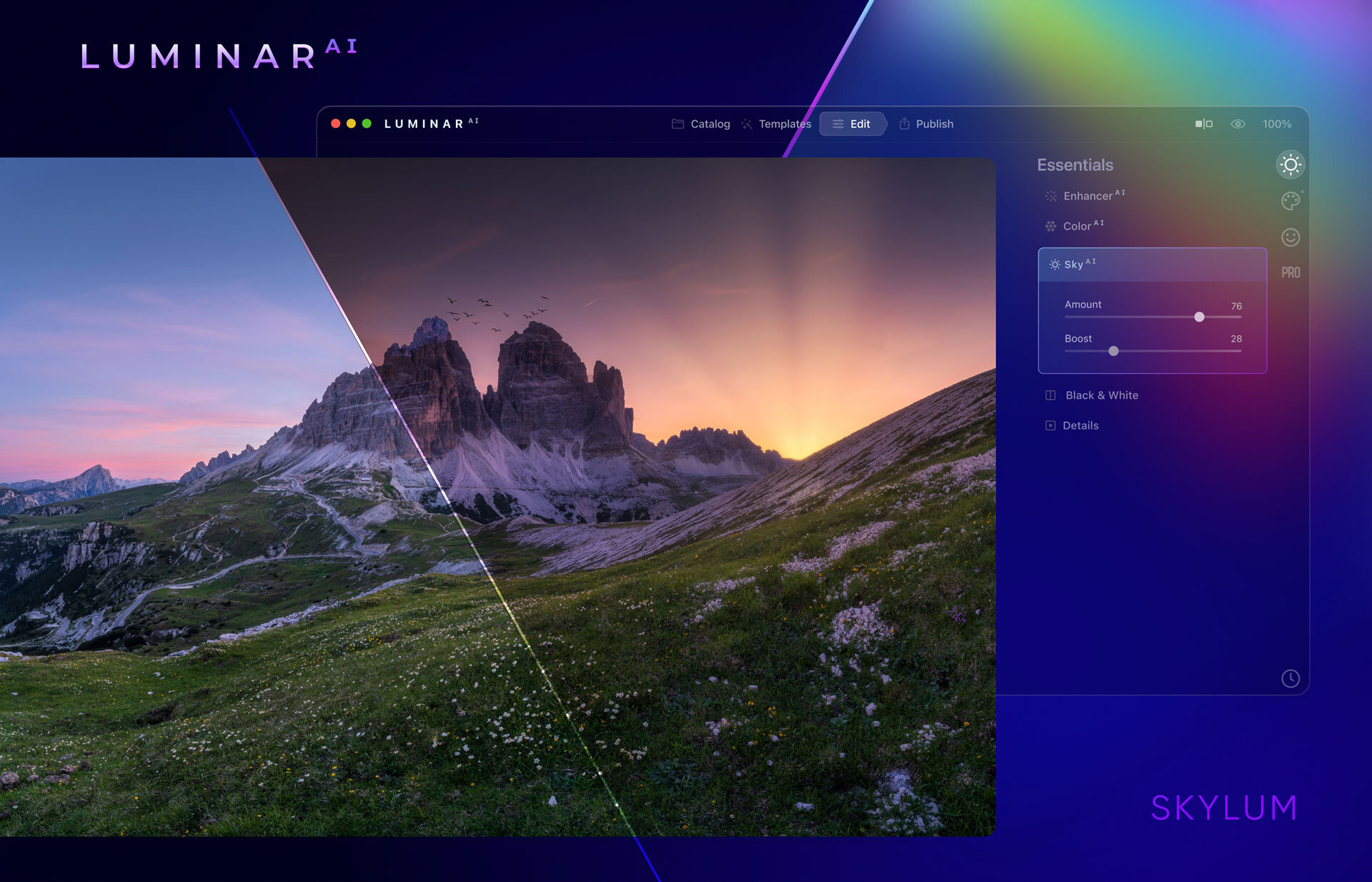
    Skylum claims that its AI will recognize different elements in the photograph and make suggestions based on that information. It will recognize skies, water, faces, etc. Those who have used Luminar 4 and its Sky Replacement tools know that its recognition works pretty well. If Luminar Ai is an improved version I have no doubts about its capabilities.

    image: Skylum
    image: Skylum


    You can override the AI.

    You have three options, choose the option that AI suggested, customize it, or edit from scratch. I think that is a good approach that it is not fully automated.

    Lens correction is possible

    I found that one of the biggest downsides in Luminar 4 was the lack of lens corrections. I am glad that that will be available in Luminar AI. It is an essential tool because. all lenses have a bit of distortion and CA.

    Pre-order and Availability

    You can pre-order Luminar AI from this link. Pre-order is possible for the first 30.000 early birds. It will have a special price. As an early bird, you will also be invited to the Luminar AI Insider program. It is a private community and you will get special deals, tutorials, etc. that others won’t get.

    If you have doubts, do not. You will a 30-day money-back guarantee from the day the software actually ships. So no risk getting Luminar Ai now.

    The price for early birds is US$69,- for new customers. If you already have Luminar 4, Aurora2019, or Aurora HDR the price is US$59,-. After the 30.000 is sold the price will go up.

    Preorder the Luminar AI now and get all the benefits.

    The final release date is not confirmed yet. Skylum said that it will available this holiday season.

    disclaimer: some of the links are Affiliates links. If you buy something I will get a small commission, but you do not pay anything extra.