Author: Peter Forsgard

  • Outdoor Macro Assignment for you. – [Get Feedback!]

    Outdoor Macro Assignment for you. – [Get Feedback!]

    This month’s challenge is outdoor macro. I know that it is not the best time here in the north to do outdoor macro, but that makes it more interesting. Finding something to photograph is harder when there is not much flora to photograph.

    Of course down under it is a different thing. I hope to see some summer/spring images!

    Check out the video and get inspired.

    How to take part?

    Send your image via this link. It will take you to a Google Form. From there you can send your image. You need to be signed in to Google.

    Submitting an image to my feedback session you will grant me the right to show and critic the image during the Live Stream. If you submit an image it does not mean that it will be given feedback. I try to give critic to everyone, but if there are a lot of images I will pick the best ones. Also if the subject is inappropriate I will not show the image or give feedback. All images and other info will be deleted after the Live Stream.

    This is important: Make sure that you have all the rights to the image you submit.

    I will give feedback to about 30-40 images.

    Send the images by Tuesday the 1st of December 2020 12 AM PM EST, which is 5 AM GMT on the 1st of December.
    My Livestream will be on the 1st of December at 1 PM GMT.

    Keep on photographing and send your image for feedback. The video below is the Live Stream where I gave the feedback.

  • DxO PhotoLab4 and Deep PRIME – the best Noise Reduction!

    DxO PhotoLab4 and Deep PRIME – the best Noise Reduction!

    Noise Reduction has been improved greatly in recent years. Now that AI has been more common in image editing software the noise reduction has become even better.

    DxO PhotoLab 4 is the best one on this right now. Its DeepPRIME algorithm does astonishing work reducing noise.

    DxO PhotoLab 4 is part of my workflow.

    I use now DxO PhotoLab 4 for my noise reduction. It also has the tools to correct distortion, vignetting, CA, etc. on images. It has tons of modules for different camera-lens combinations. Images look so much better after going through DxO PhotoLab 4.

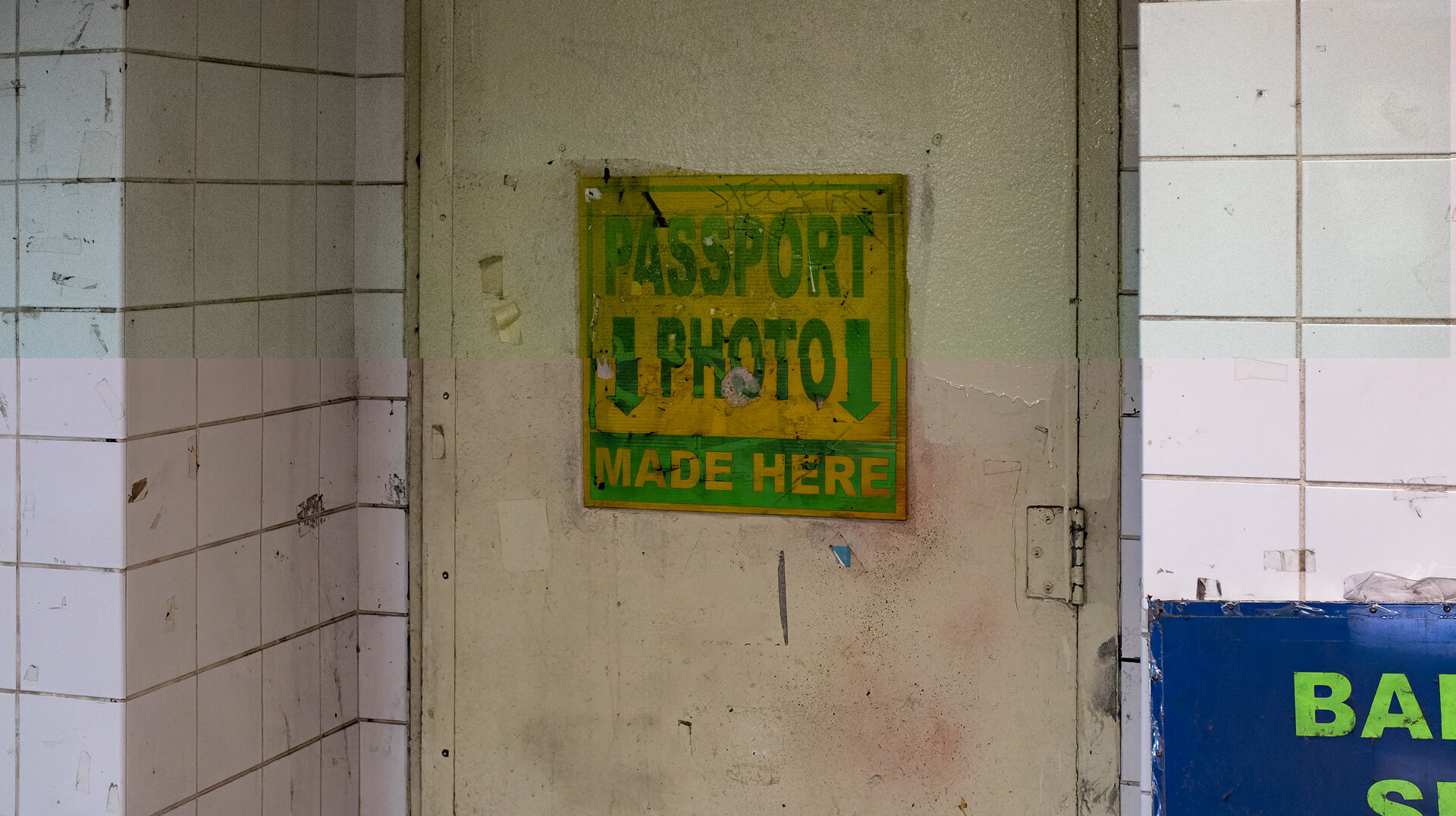
    What is great about DxO mark is that it works with older cameras too. Here is an image from 2015 photographed with E-M5 MKII and M.Zuiko 25mm f1.8 lens. The ISO was ISO3200.

    Top of the image is before and the bottom part is after DeepPRIME.
    Top of the image is before and the bottom part is after DeepPRIME.

    As you can clearly see how much better and cleaner the lower part of the image looks. You probably guessed that the lower part is from the image that was edited with DxO PhotoLab 4. I only used DeepPRIME and lens corrections. That way there is slightly different cropping. DxO PhotoLab 4 has made a lot better job fixing distortion etc.

    Correction Modules for camera-lens combinations

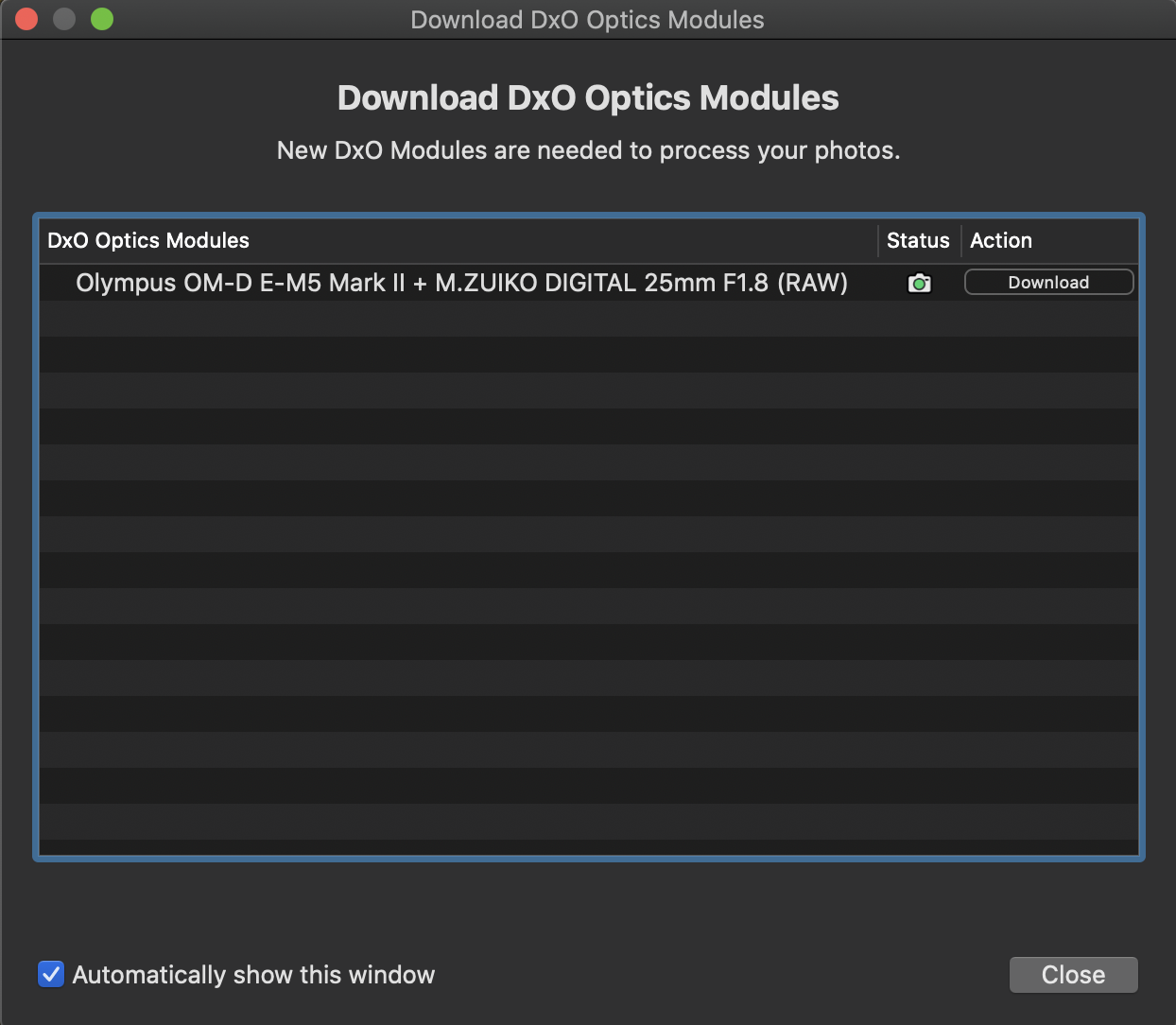
    I did not have the module and DxO PhotoLab 4 automatically suggested to download the module for this combination.

    Just press the download button and DxO PhotoLab is ready to do its work.
    Just press the download button and DxO PhotoLab is ready to do its work.

    DeepPRIME does not ruins the details in your image.

    Below is an image from November 2014. It was photographed with E-M1 and M.Zuiko 12-40mm f2.8 Pro. I used ISO3200. This image has a lot more details and DxO Photolab 4 made an excellent job getting rid of the noise and still it was able to keep the details in the image.

    Top of the image is before and the bottom part is after DeepPRIME.
    Top of the image is before and the bottom part is after DeepPRIME.

    Great Deal on DxO PhotoLab 4 right now!

    DxO PhotoLab 4 has a very special price between the 26th of November to 30th of November. The price is reduced by 40%. Click the banner below or this link to get the deal. (Affiliate link).

    I think that DxO PhotoLab4 is so good that everyone should use it.

    I also have a video about DxO PhotoLab4 and DeepPRIME.

  • Insta360 One X2 – a FUN 360 camera

    Insta360 One X2 is the newest 360 action camera from Insta. It is a consumer-level camera. It will capture 360 views with its two cameras. It can record video at 5,7K and images with the resolution of 6080X3040 (360) and 4320X1440 in panorama mode.

    Fun features!

    Even though there is a really good use of 360 cameras in many ways real estate videography is one. The Insta360 One X2 is more of a “toy”. By that, I do not mean that the quality of the image or build quality is bad. On the contrary, it is well made and the image quality is very good. By saying it is a toy it means all the fun features you can do with it. The fun features include Bullet Time, Stop Motion, Clone Trail, etc.

    Some of the features are shown in my latest Sunday Shorts about Insta360 and a few of its fun features.

    Is there any serious use?

    IMG_2060.jpg

    Insta360 One X2 is waterproof to 10 meters. it can be used as an action cam. It can shoot of course 360, but also a 150-degree image. Also from the 360 images can be cropped any portion with Insta 360 app, Insta360 desktop app, or Premiere Pro. Premiere Pro needs a plug-in from GoPro. Yes, GoPro. It is called FX Reframe. With that, you can adjust the 360 images.

    With that, it is easy to make the 360 to a 16.9 “crop” from any part of the 360 videos. It can also be keyframed so that it looks like the camera is following you. That makes the Insta360 One X2 the best action camera right now. It is almost like you have a cameraman filming you.

    Most fun with the App.

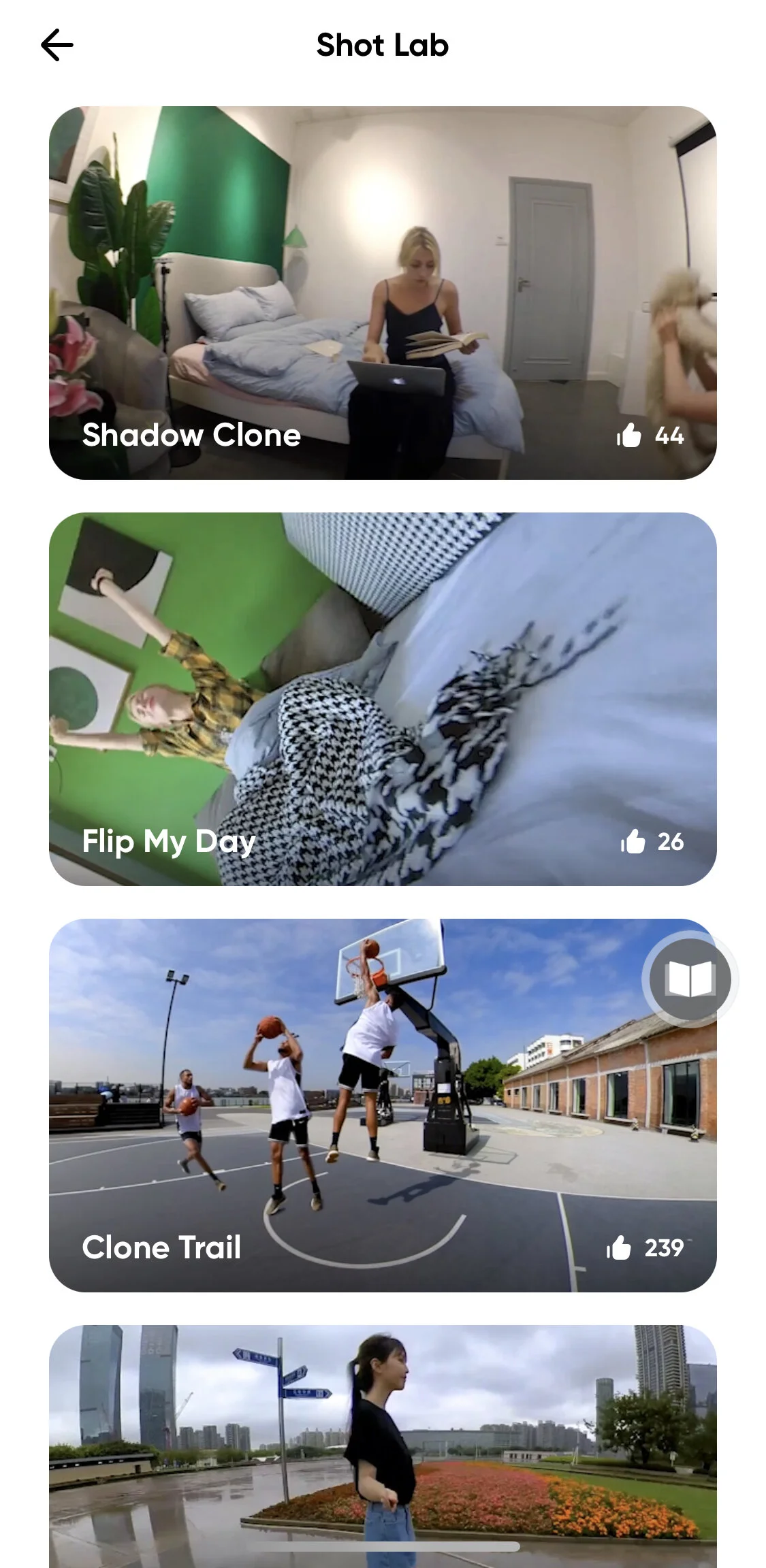
    With the Insta360 mobile app, you will the best out of the camera. Its app has a trick section where you can pick your effect and the app does it for you. There is also instruction on how to shoot so that the effect can be applied. On the left side, you can see a few of the effects you can do.

    This blog post was not sponsored by Insta360. I bought the camera. Wanted to write a small blog post about it because I really like the camera. I will be using it for B-roll on my YouTube-videos.

    More info and specs from Insta360 One X2 product page.