




Peter Forsgård

photographer

  • Cinepeer CX100 – New LED light from Zhiyun!

    Zhiyun has launched a new small and versatile LED light, Cinepeer CX100. It is a budget version of the Molus X100.

    Disclaimer

    The Light was sent to me by Zhiyun, but Zhiyun has not seen my review or information. Everything I write here is based on my own opinion. Some of these links might be affiliate links.

    Similar Specs with Molus X100

    The lights look the same, and the power is about the same. There is a specs sheet at the end of this blog post. The main differences are that the battery is not detachable in CX100 and does not have a music sync feature, a screen, or APP control.

    Cinepeer CX100 is Silent and does not over-heat!
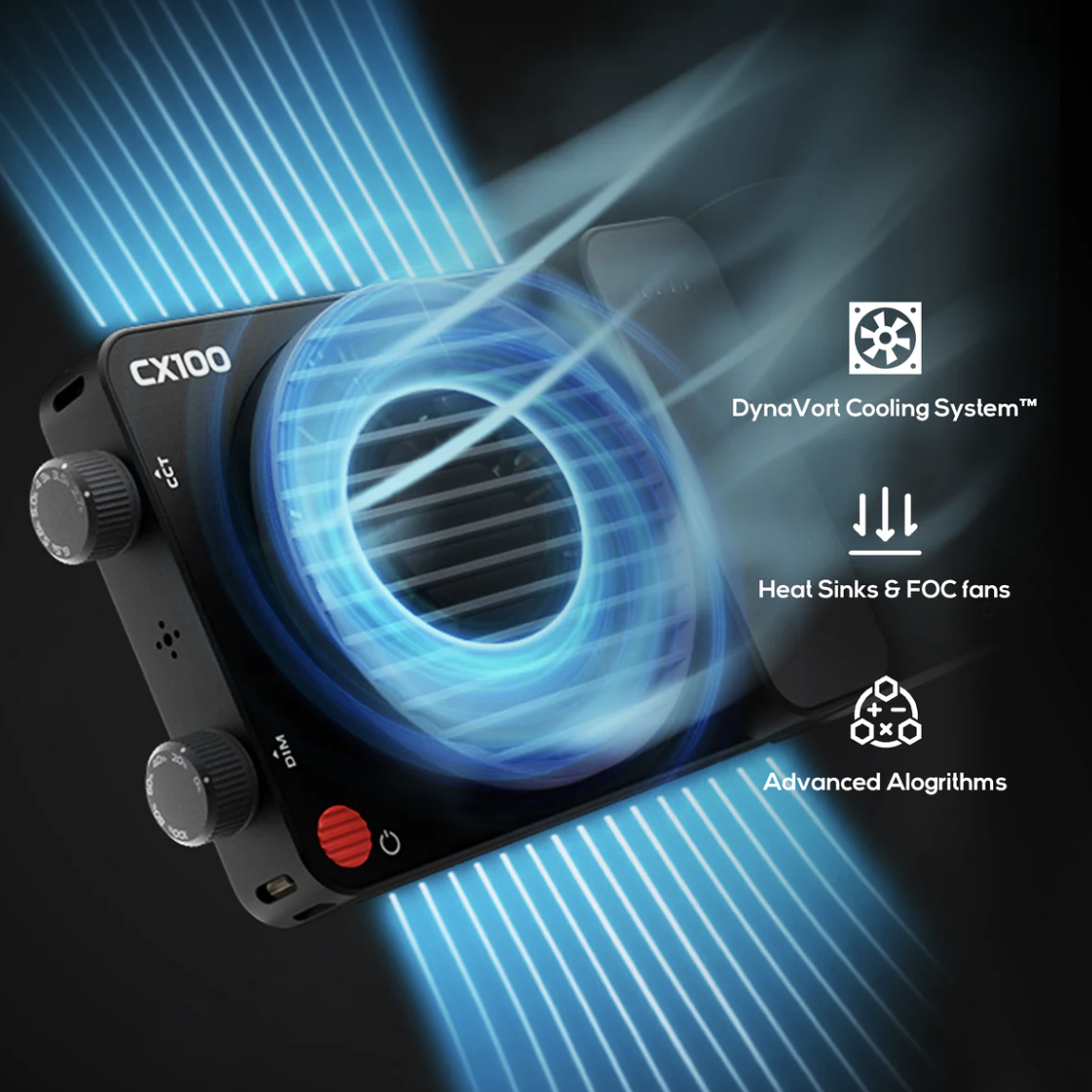
    image: Zhiyun

    Cinepeer CX100 uses the same DynaVort Cooling System as the Zhiyun Molus X100. The benefit is that it is practically silent. You need to be very close to hear the fan, and it won’t ruin your audio. If the light gets hot, the brightness will be reduced automatically. There is no danger of it over heating. At least I did experience that at all.

    Accessories
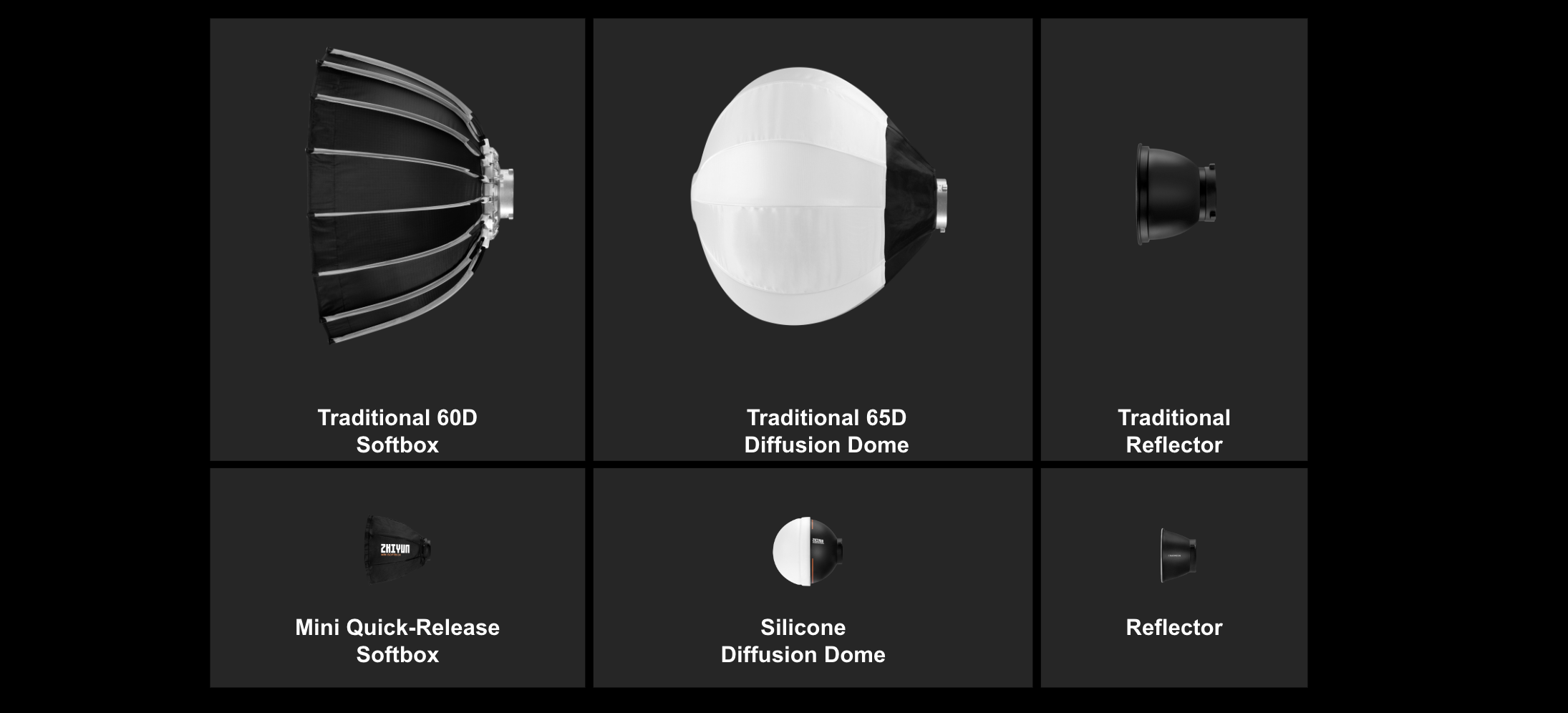
    image: Zhiyun

    As you can see from the image above, there are enough accessories for many needs. A Bowens Adapter is also available. That is something I might get. I have several softboxes with Bowens mount.

    Specifications
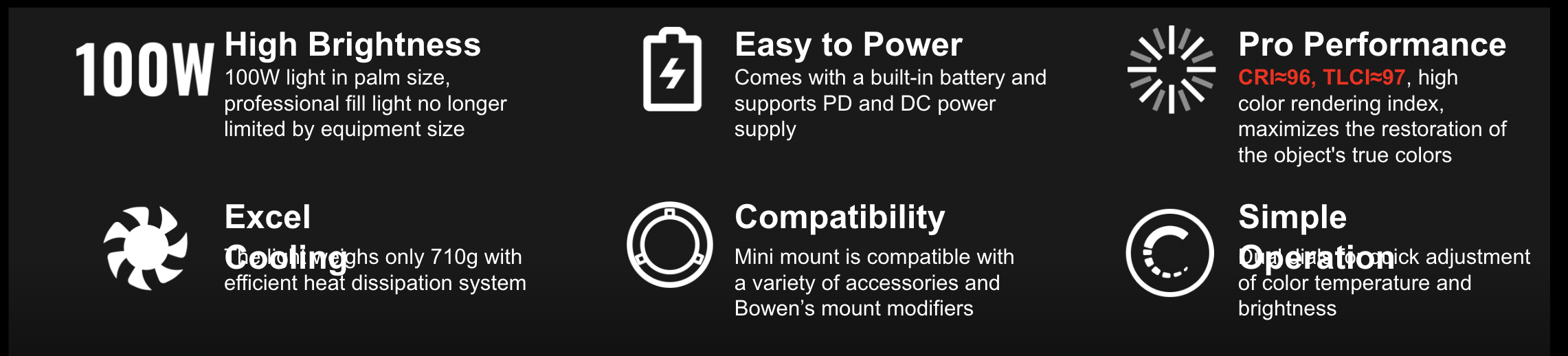
    image: Zhiyun

    Is it worth the price?

    When this was published, the Zhiyun Cinepeer CX100 was just under $200€, which is about $100€ less than the Molus X100. The CX100 is bright and has all the necessary features for an LED light. However, app control is missing, so look for the Molus X100 if that is important.

    Buy it from their official store. Use code CNP25TOCXX to get 25% Off. Buy it from Amazon and use code ZYCNP25OFF to get 25% Off.

    My video about the Zhiyun Cinepeer CX100

    Full specs

    Specifications are from Zhiyun.

    Product Dimension 197*52*94mm

    Output Power 100W

    Cooling Method Active Cooling

    Power Adapter Operation Voltage AC100V~240V(50/60HZ)

    Light Operation Voltage DC 24V,PD ≥9V

    PD Input Power ≥18W

    Color Temperature 2700K~6500K

    Brightness Adjustment Range 0~100%

    CRI (RA) ≈96

    TLCI ≈97

    Illuminance In Brightness 3840lux, 1 meter, 4300K

    Power Supply Method PD adapter, power adapter

    Operating Ambient Temperature -10℃~40℃

    Grip Battery Voltage 14.8V

    Grip Battery Capacity 4500mAh 66.6Wh

    Grip Battery PD Charging Time 2H30MIN

    Grip Battery QC Charging Time 4H

    Adapter Charging Time 3H

    Grip Battery Max Charging Power 30W

    Grip Battery Runtime (max, power) 30min

    Extension 1/4 General Threaded Hole*2


  • Conceptual Portrait – More Than Just a Photograph | 52 Assignment Series

    This week’s assignment in 52 Assignment is Conceptual Portrait. They are a fascinating intersection of photography, art, and storytelling.

    This assignment will make you think more about your portraits. Many of you are more interested in nature photography, so this assignment will challenge you to look at people.

    What are Conceptual Portraits?

    A conceptual portrait is more than just a photograph of a person. It’s an image that conveys an idea, an emotion, or a narrative. These portraits are carefully crafted to go beyond the surface, offering the viewer a deeper, often symbolic, meaning. The person, the setting, the props, and the lighting – every element is chosen to contribute to the overall concept or story.

    Why Conceptual Portraits?

    1. Emotional Connection: These portraits evoke emotions and provoke thought. They connect with viewers personally, often leaving a lasting impression.

    2. Artistic Expression: For photographers and subjects alike, these portraits express creativity and personal vision.

    3. Telling Stories: Each portrait can tell a story, whether it’s about personal struggles, societal issues, or abstract concepts.

    Creating Your Own Conceptual Portrait

    1. Start with an Idea: What do you want to communicate? It could be a feeling, a social message, or an abstract concept. The idea is the seed from which your portrait will grow.

    2. Plan Your Composition: Think about how you’ll compose your shot. What kind of background will you use? How will the subject be posed? Will there be any significant props?

    3. Consider Lighting and Color: Lighting sets the mood, and colors can add symbolic meaning. For example, red can represent passion or danger, while blue might convey calmness or sadness.

    4. Focus on the Subject: The subject of your portrait is key. How they are dressed, their body language, and their expressions all contribute to the narrative.

    5. Experiment: Don’t be afraid to try different things. Conceptual photography is about creativity and experimentation.

    Examples to Inspire You

    A Portrait of Time: a photograph of an older person looking into a mirror, reflecting their younger self and symbolizing the passage of time.

    The Weight of Thoughts: A subject with a cluttered, chaotic background, suggesting the burden of overthinking or anxiety.

    Nature and Humanity: This portrait blends a human with elements of nature, showing our connection to the earth.

    Conclusion

    Conceptual portraits are a powerful medium that uniquely blends photography, art, and storytelling. They challenge both the creator and the viewer to think more deeply about the image and its meaning. As you create your conceptual portraits, remember that your personal vision and creativity are the most important elements. Let your ideas flow, experiment with different techniques, and, most importantly, enjoy bringing your concepts to life.


  • Discover the Exciting New Features of DxO PureRAW 4

    In digital photography, pursuing crisp, clear images is a never-ending quest.

    DxO, a company known for its advanced photo editing software, has just released the latest version of its acclaimed program: DxO PureRAW 4. This new version, aimed at amateur and professional photographers, promises to take photo processing to the next level with its new features and improvements. In this blog post, we’ll dive into what makes DxO PureRAW 4 a worthy upgrade.

    1. Real-Time Preview: A Game-Changer

    One of the standout features of DxO PureRAW 4 is the real-time preview. What does this mean for you? Put, as you adjust various tool parameters to enhance your image, you can see the effects of these changes instantly. This immediate feedback is invaluable for fine-tuning your photos to perfection without the guesswork. It’s like watching your photo transform before your eyes, one adjustment at a time.

    2. Advanced Batch Renaming: Keeps you organized

    Handling numerous images can be overwhelming, but DxO PureRAW 4 makes it easier with its advanced batch renaming feature. This option allows you to organize and process multiple images simultaneously, saving you precious time and effort. Whether dealing with hundreds of photos from a wedding shoot or a vacation, this feature helps keep your files neatly organized and easily accessible.

    3. Enhanced Widget Workflow: Efficiency at Its Best

    The improved widget workflow in DxO PureRAW 4 is all about speed and convenience. The software automatically opens when you insert a memory card into your computer. This means you can start processing your photos right away without the extra steps of opening the program manually. It’s a small but significant improvement streamlining your workflow, especially when you’re eager to see and work on your freshly captured images.

    4. Next-Level Image Quality: Noise Reduction and Lens Softness

    DxO PureRAW 4 introduces a new noise reduction algorithm, DeepPrime XD2, and an improved lens softness tool. The DeepPrime XD2 algorithm is designed to tackle noise more effectively, ensuring your images are as clear and detailed as possible. Meanwhile, the enhanced lens softness tool addresses issues with lens imperfections, helping you achieve sharper and more accurate photos. These tools work together to enhance the overall quality of your images, making them look professional and polished.

    5. Upgrade Pricing: A Worthwhile Investment

    For existing PureRAW users, upgrading to the latest version costs 79€, while the regular price is 119€. This update enhances the software’s capabilities and ensures that it stays compatible with the latest camera and lens technology.

    Conclusion

    DxO PureRAW 4 offers a significant leap forward in photo processing software. With features like real-time preview, advanced batch renaming, an automated widget workflow, enhanced image quality tools, and continuous updates, it’s an essential tool for anyone serious about photography. Whether you’re a professional photographer or an enthusiastic amateur, DxO PureRAW 4 is designed to make your photo editing process more efficient and your results more stunning.

    Get yours

    Using this link, you can buy your copy! >>> DxO PureRAW 4