Getting your exposure correct is one of the most important things if you want your image quality to be the best possible. Of course, a great image is more than just exposure, but it is an important thing.
3 tips for better exposure
The first tip is to learn the way your camera makes the exposure. What I mean by that is the different metering modes. Learn the different metering modes to get the best exposure.
The second tip is to use raw and ETTR. Using raw you have the possibility to expose to the right. The reason to use ETTR (Exposure to the Right) is that then the sensor is capturing the most amount of data. The image quality is the best possible. The reason for that is the way the sensor captures data. There is more information in the highlights than there is in the shadow areas.
An image that is exposed using ETTR will look a bit washed out. It is too bright. The image needs post-production. Lowering the exposure and highlights will make the image better looking.
This only works for raw and should not be used when shooting jpegs.
When using ETTR it is crucial that you do not clip the highlights like always, no matter what the exposure method is.
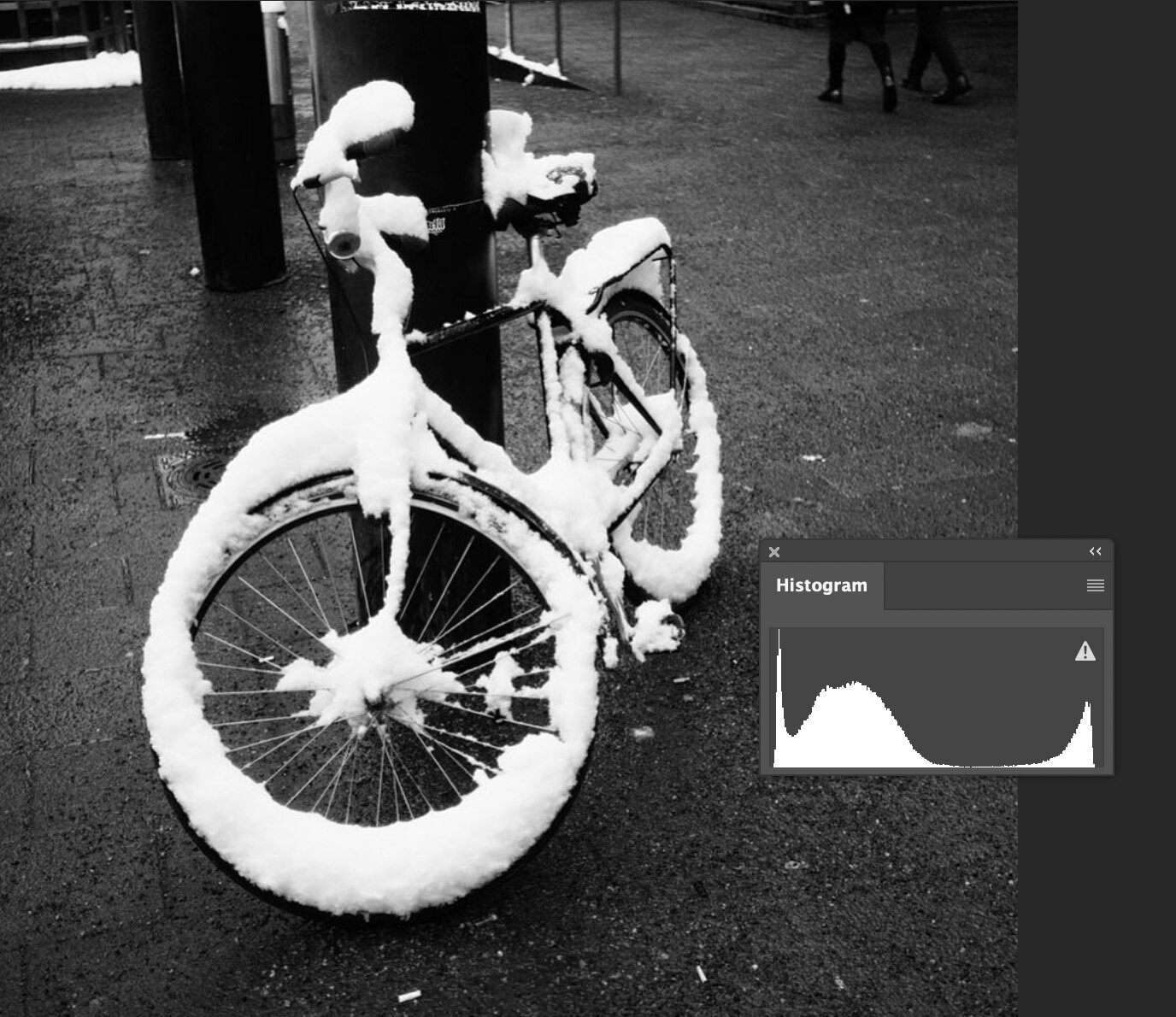
Usually, an image that has been photographed using ETTR has most of the info on the right side of the histogram. But if you have an image where you have a white bird and a dark background will have a lot of info on the shadow. The histogram looks like the image is exposed to the left. But it still can be an ETTR image. It depends on where the brightest spot is on the histogram. If it is just on the histogram value 254-255 then it is ETTR.
This is an example of an image that is ETTR even though the histogram might not look like it. As you see the snow on the bike is not over exposed. The whites pixel is around 254.
The third tip is to use Exposure Bracketing. This is very handy when you use jpg as your file format. This is the way to make sure you have the best possible exposure for your jpg. Having 5 or 3 different exposure from the same scene will help you get the perfect shot.
Image editing is something that has to be done to every image. It is like a film negative that has to be “printed”. Very seldom a digital file is ok what it comes to colors, contrast, etc. straight out of the camera. It needs to be fixed.
What is the difference between editing and manipulation?
Image Editing is adjusting the image colors, adjusting the highlight, shadows, and/or contrast. Image editing is not manipulation. It is considered manipulation if you add or remove objects from your image. This is a very simple answer, but also it clearly describes the difference.
Image editing is almost always ok, but manipulation can be forbidden in some cases. Photojournalism is one genre where no manipulation is allowed. That is very understandable. Nature photography is another genre where manipulation can be “forbidden”. Especially if you send your image to Nature photography competition. Rules are pretty strict and for good a reason.
What is the workflow in image editing?
Workflow is very important when editing images. To do things in the same order the editing goes much faster.
Step 1: Photograph the best possible original
Try to get the best possible original as possible. Use raw if you are planning to edit your images. Raw-files have a lot more information to work with than jpg images.
Image editing is not for saving poorly made and exposed images. Sometimes it is possible to save something, but it will never be the same compare to a well photographed original.
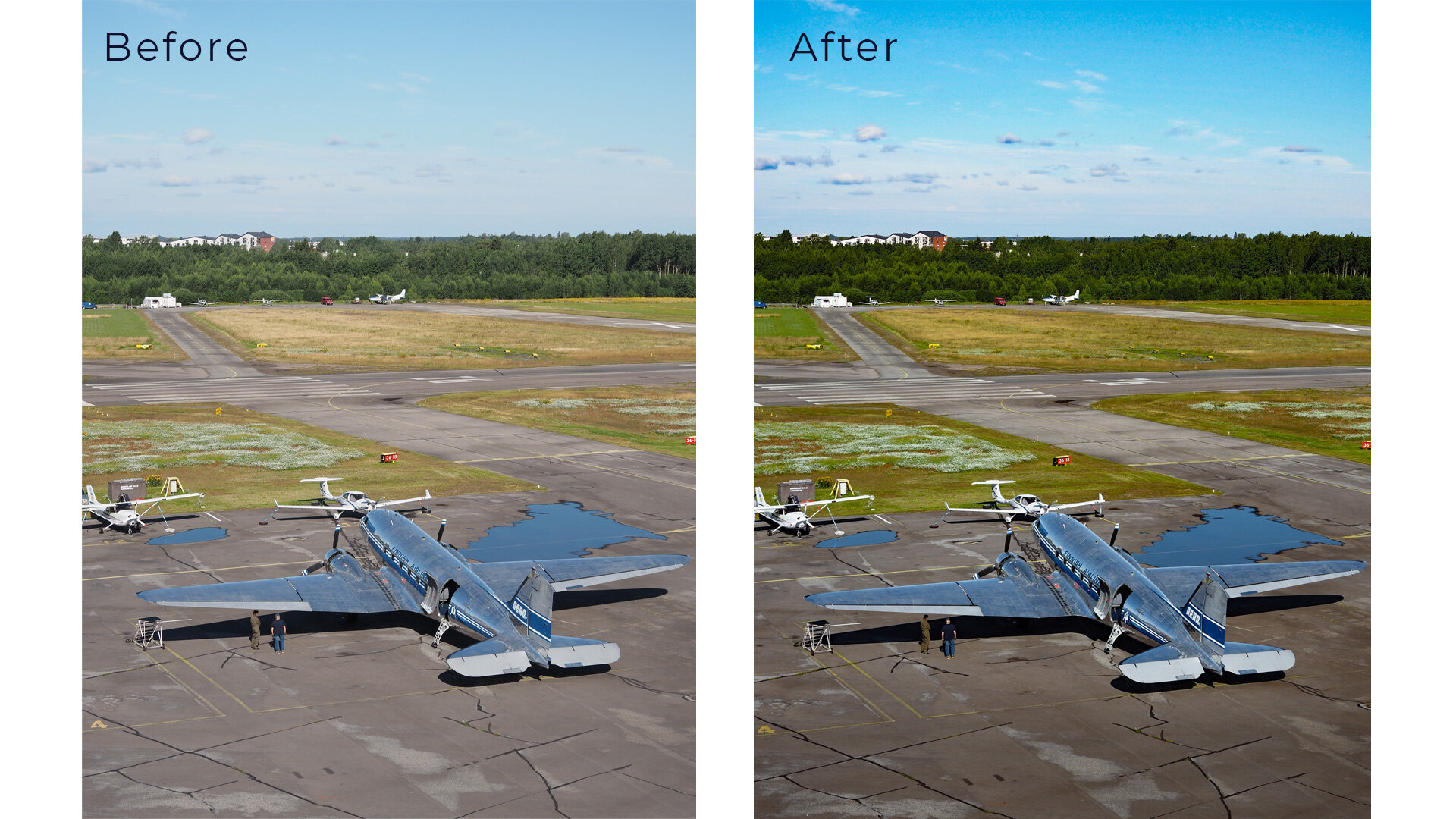
DC-3 Air Veteran at Malmi Airport in Helsinki.
Step 2: Start with global adjustments
Start with global adjustments. Global adjustments are adjustments that are done to the whole image so that it will affect every pixel in the image.
The first step is to adjust the white balance. Getting the white balance correct when making the photo is something to aim for. Especially if you shoot jpegs. Then it is almost a must. Raw images are also better what it comes to white balance. It can be correct easily. You can use the eyedropper tool to click something neutral like white or middle grey to correct the wrong white balance. It can also be adjusted whit the slider.
The next step is to fine-tune the exposure. If you have used ETTR (Exposure to the Right) then you most likely need to lower the exposure. This way a bit washed out look will go away and the image looks more natural. How much to lower? That is up to you and it depends on your style like everything in editing does.
The third step is adjusting the contrast. Adding contrast brings back the colors and sharpness. You can also use Clarify and Dehaze tools. Both of these tools also have an effect on contrast. But do not overdo it. It can ruin your images if done too much.
The fourth step is to check the colors. If you think that the color is not the way you want them to be then adjust them to your likings. This one also is a matter of personal taste. Adding some saturation and vibrance can make the image better. Remember that sometimes it might even be better to lower the saturation and/or vibrance. If there are people in the photo look that skin tones are the way you want. If the skin tones are too red it usually does not look that good.
The fifth step is to clone out dust spots and other things that might be distracting. Now we are on the borderline with manipulation. Cloning out dust spots is ok and should be done if there is dust on your sensor that shows in your images. Anything else is optional like cleaning up skin etc. But remember not to overdo the “cleaning” with the skin.
Step 3: Local Adjustments.
Local adjustments mean that you only affect a part of the image. The cloning that was mentioned in the previous step can be also considered to be a local adjustment. Adjustments are about the same as in global adjustments and also the tools are pretty much the same. Typical adjustments are exposure corrections in different parts of the image. You might want to lower/increase the highlights or shadows.
Principals of editing
What I mean by this is the things that we should consider. The main to understand how people look at images. What do they see first?
People see the bright areas first and then the rest. That is just the way our eyes work. Try to have your subject in the brightest area of the image. This can be emphasized in editing. Increase the exposure on your subject or lower the exposure around your subject. Usually, the latter thing is better – lower the exposure around your subject. This will give more attention to your subject.
The second principle is not to over-edit your images. Try to keep the editing so that the image looks natural. But of course, that also depends on your personal style.
What Image Editing Software to use?
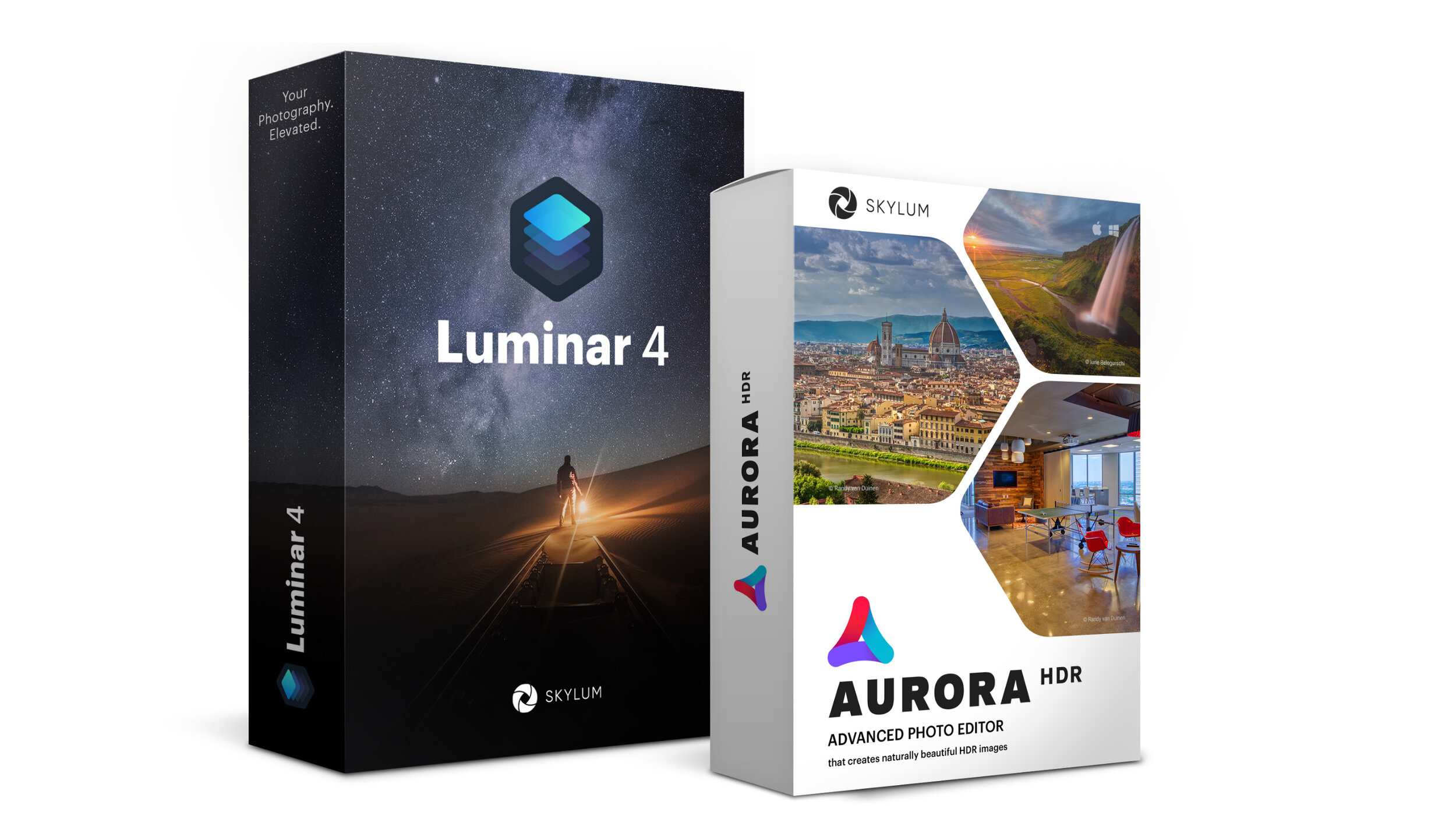
The short answer is the one you are most familiar with. I personally use Lightroom as my main editing software. I have used it so many years that I am used to it. But I also use other software like Photoshop, Luminar 4.3, Aurora HDR, and Topaz DeNoise. They all work as plug-ins for Lightroom. Yes, Photoshop is also a plug-in for men. Very seldom do I open images straight in Photoshop. All these plug-ins have a different purpose. Photoshop is used for composite images. That is when I want to merge several images for example. For HDR I use Aurora HDR. I think it is the best HDR software on the market right now. Luminar 4.3 is the software I use the least. It is good for landscapes. Topaz DeNoise AI is an excellent noise reduction software.
Links might be affiliate links. Use promo code JPETERF to get 10% off on Luminar and Aurora HDR.
(Disclaimer: the coupon code is valid at the time this blog post was written, but it might not work in the future if the affiliate deal is not available.)
There has been quite a lot of new Image Editing software for photographers to use. It looks like the “monopoly” that Adobe has had is breaking. I think it is a good thing even though I use Adobe Creative Cloud every day. The more we have the better.
Image: Skylum
Recently I have tested some other software and have found that Skylum Luminar and Aurora HDR are quite good for editing. Aurora HDR is more of a HDR software, but can be used as a stand alone software for general image editing too. Together with Luminar they quote a nice bundle.
No they have a Summer End Sale from August 18th, 8 AM PT to August 22nd, 8 AM PT. They have reduced the price from $188 to $99. That is 45% off.
Now that the End of Summer Sale is over, use coupon code JPETERF to get 10% off from the price.
If you are interested n the Aurora HDR Luminat 4 bundle click the link below to get it for $99.
Get the Deal!Use coupon code JPETERF to get 10% off.
I have also made a video about Aurora HDR if you want to know more.

![Mastering Exposure – [3 Tips to Get the Right EXPOSURE]](https://peterforsgard.com/wp-content/uploads/2020/08/Exposure.jpg)